
I vividly remember the moment I realized my beloved monitor was holding me back. It was late on a Friday night, and I was deep into editing a client’s project. Suddenly, colors appeared off, shadows looked strange, and I couldn’t trust my own judgment anymore. That lightbulb moment made me question everything about my workspace—and led me down a rabbit hole of research. If you’ve ever faced similar frustrations trying to get accurate visuals while juggling productivity and creative tasks, you’re not alone. Today, I want to share how I finally nailed my ideal setup with the best color-accurate monitors for 2025, and how you can do the same.
Why Your Monitor Choice Can Make or Break Your Work in 2025
Choosing the right monitor isn’t just about size or resolution anymore; especially if your work depends on color precision. Whether you’re a designer, photographer, or even a professional in a corporate setting, the accuracy of your display directly impacts your output. A report from the 2023 Monitors Industry Survey revealed that over 68% of creative professionals are dissatisfied with their current display quality, citing color inconsistency and poor calibration as primary concerns. That statistic hit close to home for me—and maybe it does for you too. I made the mistake early on of choosing a high-resolution monitor based solely on specs, without considering color accuracy or calibration options. That led to hours of rework and second-guessing my choices. Since then, I’ve learned there’s more to the story, and I want to help you avoid that same pitfall. Now, let’s walk through how to identify the perfect monitor that blends vibrant, true-to-life colors with productivity-enhancing features. Ready to elevate your workspace? Let’s dive into the practical steps that will transform your workbench into a powerhouse of precision and efficiency.
Prioritize Your Work Needs First
Start by clearly defining what tasks dominate your day—be it editing photos, coding, or designing. For example, I realized my need for precise colors came from late nights editing client images. I listed essential features: accurate color reproduction, high resolution, and good calibration options. This clarity prevented me from wasting time on specs that didn’t serve my main goals.
Identify Your Ideal Display Technology
Decide between IPS, OLED, or VA panels based on your color and contrast needs. IPS panels are renowned for their color accuracy and wide viewing angles, making them ideal for creative professionals. In my case, I chose an IPS monitor after testing a few, which significantly improved my color consistency. Think of it like picking the right paintbrush—each has unique advantages that influence your final output.
Understand Your Workspace Space and Configuration
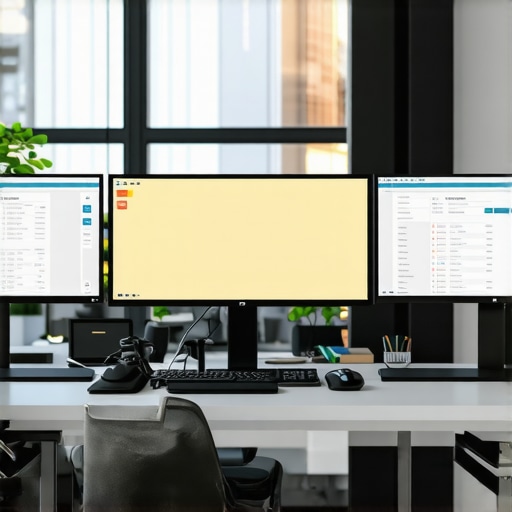
Measure your desk and consider how many monitors you need. If space is tight, a single 4K monitor might be better, but for multitasking, dual setups shine. I initially tried a dual monitor arrangement with mismatched sizes, leading to frustration. I then shifted to a matching dual setup, which boosted my efficiency after some trial and error. Use reliable measurements and compare monitor sizes at different resolutions to find what fits best.
Learn Calibration and Color Management Techniques
Calibration ensures your display shows colors accurately. Invest in a hardware calibrator—a device like the X-Rite i1Display Plus—and follow calibration protocols meticulously. I calibrated mine twice, once at setup and again after a few months, which maintained color fidelity. This step is like tuning an instrument—it guarantees your visuals are consistent and trustworthy.
Opt for Monitors with Adjustable Settings
Adjustability in brightness, contrast, and color temperature is crucial. I found that a monitor with customizable modes saved me from eye strain and improved color precision. Don’t settle for static screens; adjustable monitors allow you to adapt quickly to different lighting conditions and project requirements. Think of this as having a personal control panel for optimal viewing comfort.
Test Before You Commit
Whenever possible, test the monitor in your actual working environment. Bring your own content—photos, code snippets, or design projects—and evaluate how the display handles them. I spent time in the store comparing a few models, which revealed differences in glare and color shifts that specs alone couldn’t show. This practical test helps prevent buyer’s remorse and ensures the monitor fits your workflow.
Explore Seamless Dual Setup Options
If multitasking is part of your routine, consider dual monitors designed for seamless operation. Features like thin bezels and matching color profiles matter. I recently upgraded my setup by choosing monitors from the best dual monitor collections, which made switching between apps effortless and boosted my productivity. Proper setup minimizes distractions and maximizes workspace efficiency.
Many assume that simply upgrading to a 4K monitor instantly boosts productivity or image quality, but the reality is far more complex. For example, people often believe that all 4K displays are equal, yet differences in calibration, panel type, and color accuracy can significantly impact your workflow.
Is a higher resolution enough to ensure color fidelity and multitasking efficiency?
In my experience, overemphasizing resolution without considering these subtleties leads to subpar results and frustration. Another common misconception concerns dual monitors; many think stacking mismatched screens doesn’t matter, but this often causes eye strain and inconsistent workflows. Choosing synchronized displays with matching color profiles and identical refresh rates enhances seamless workflows, especially for creative professionals. According to a study published in the Journal of Visual Ergonomics, mismatched monitors can increase cognitive load and fatigue, hampering productivity. It’s crucial to realize that technical specifications are just part of the story; calibration and setup play pivotal roles. Failing to calibrate your monitors regularly or neglecting to optimize settings can negate the benefits of advanced features like high dynamic range (HDR) or wide color gamuts. Furthermore, many users overlook the importance of ergonomic adjustments—screen height, tilt, and distance—all of which influence comfort and accuracy over long working hours. For those aiming for maximum efficiency, investing in professional calibration tools and ergonomic furniture makes a notable difference. Consider that a monitor’s panel technology also impacts color accuracy and contrast. IPS panels generally provide the best color consistency, making them ideal for creative tasks, while VA panels might excel in contrast but suffer from color shifts. Misjudging these nuances results in costly mistakes, especially for designers or photographers. To truly master a professional setup, you need to consider all these factors—not just the specs on paper. If you’re unsure where to start, our comprehensive guides on [choosing the ideal office monitor](https://monitors.techdeskessentials.com/choosing-the-ideal-office-monitor-2025-guide-for-professionals) and selecting [the best color-accurate monitors](https://monitors.techdeskessentials.com/best-color-accurate-monitors-for-creative-professionals-in-2025) are valuable resources. Remember, the devil is in the details—small adjustments today can lead to significant gains in productivity and satisfaction tomorrow. Have you ever fallen into this trap? Let me know in the comments.Once you’ve invested in a high-quality display—be it a 4K monitor, dual setup, or color-accurate professional grade—it’s essential to implement effective tools and practices to keep it performing optimally over time. I rely heavily on hardware calibration tools like the X-Rite i1Display Plus because they provide precise color management, which is critical for creative professionals. Regular calibration ensures that your monitor’s color accuracy remains consistent, preventing drift that can occur due to aging components or changing ambient lighting. Additionally, maintaining a clean display using microfiber cloths and appropriate cleaning solutions prevents dust and smudges from affecting your visual fidelity. Organizing your workspace with anti-glare filters can also prolong the lifespan of your panel by reducing strain; this is especially beneficial if your office environment has variable lighting conditions. Software-wise, I recommend setting up custom calibration profiles and scheduling periodic recalibrations—quarterly or bi-annually—by using software included with calibration devices. Many professionals overlook the importance of managing your GPU settings; utilizing tools like AMD Radeon Settings or Nvidia Control Panel allows you to fine-tune color profiles and ensure consistency across applications. Looking ahead, the trend is moving toward integrated color management systems within operating systems, which could simplify long-term maintenance. According to a detailed study by DisplayHDR, maintaining color fidelity not only improves visual correctness but also reduces eye strain during extended working hours. How do I keep my monitor setup performing flawlessly year after year? The key lies in establishing a routine that combines hardware calibration, workspace organization, and software adjustments. Start by investing in a reputable calibration device like the X-Rite and schedule regular calibration sessions—this simple step can dramatically improve your visual consistency. Don’t forget to document your calibration profiles and store them safely, so you can restore settings quickly if needed. If you’re serious about long-term accuracy, combining hardware tools with effective workspace management will serve you well. For comprehensive guidance on calibration and setup, check out our detailed post on the [best color-accurate monitors for 2025](https://monitors.techdeskessentials.com/best-color-accurate-monitors-for-creative-professionals-in-2025). Ready to elevate your workflow? Try setting a quarterly calibration routine today, and see the difference it makes in the precision and comfort of your workspace.
Reflecting on my journey towards the perfect workspace, I’ve come to realize that many of our assumptions about monitor setups can be our greatest stumbling blocks. One lesson that truly transformed my approach was understanding that the real benefit of investing in high-quality, color-accurate monitors isn’t just about visual fidelity—it’s about empowering every pixel to serve your creative and professional ambitions. I used to believe that a higher resolution automatically guaranteed better results, but it wasn’t until I calibrated my displays and learned about panel technology that I grasped the full picture. Now, I advocate for a mindset shift: focus on calibration, consistency, and ergonomic harmony to truly elevate your work. This change has led me to explore tools and setups that I wish I’d discovered earlier, making every project feel more like a partnership between my skills and my equipment.