
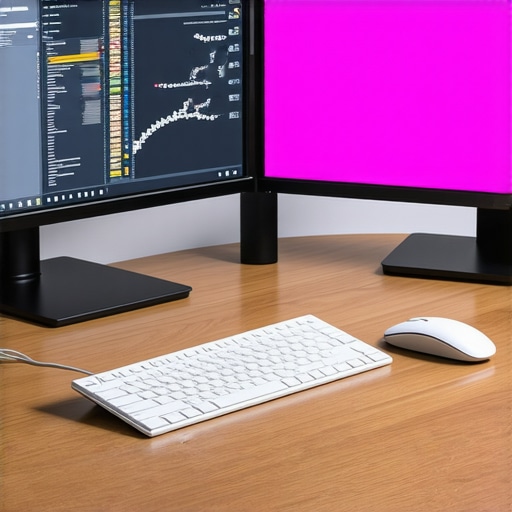
I remember the exact moment I realized my old monitor was holding me back. It was a typical busy morning, trying to finish a project, and suddenly I couldn’t tell if that shade of blue was accurate or just a trick of my fading screen. Frustration turned into a lightbulb moment—my workspace needed an upgrade, not just for better productivity but for visual precision that truly reflected my work. If you’ve ever faced a similar dilemma, you’re not alone. Many professionals underestimate the importance of a high-quality monitor until they’re staring at mismatched colors or eye strain every day.
Why a quality monitor can transform your work in 2025
In today’s digital work environment, a monitor isn’t just a screen; it’s your primary tool for clarity, efficiency, and creative accuracy. The right display can reduce eye fatigue, improve color precision, and even boost your productivity by making multitasking smoother. With advancements like 4K resolution, HDR, and color calibration technology, choosing the perfect monitor has become both more exciting and more complex. But here’s the good news: I’ll help you cut through the noise and find options that truly elevate your workspace. Whether you’re a developer, designer, or someone who simply appreciates crisp visuals, this guide is crafted to help you make an informed decision.
Have you ever bought a monitor only to be disappointed by its color accuracy or responsiveness? If so, you’re in good company. I made this mistake early on—choosing a popular model because of price without considering color calibration. The result? Hours spent fixing color mismatches, eye strain, and ultimately, a waste of money. That’s exactly why I want to share what I’ve learned about selecting monitors that deliver both productivity and visual fidelity, so you don’t have to go through the same frustration.
Start with Your Work Goals
Before diving into specs, clearly define what you need from your monitor. Are you editing photos, coding, designing, or multitasking across several apps? For instance, I once bought a 4K monitor for photo editing without considering color accuracy, only to realize later it lacked proper calibration. Pinpointing your primary tasks helps narrow down features like resolution, color gamut, and refresh rate, making your search focused and effective.
Prioritize Color Accuracy and Calibration
Choose a monitor with a high color gamut coverage—look for models supporting 99% sRGB, Adobe RGB, or DCI-P3. When I tested a dual setup for creative work, I opted for a model with factory calibration and hardware calibration support. This ensured consistent, true-to-life colors without constant adjustments. For professional work, consider monitors that come with color calibration tools or are compatible with external calibrators. Explore the best color accurate monitors for creative professionals in 2025 for options that meet these criteria.
Match the Resolution with Your Workspace
Higher resolution enhances detail and reduces eye strain. For most work in 2025, 4K is the sweet spot, providing sharp images and ample workspace. I remember upgrading from a 1080p to a 4K monitor, and the difference was night and day—more room for toolbars and less scrolling. When selecting, ensure your hardware can handle the resolution smoothly, especially if you plan to use dual monitors or high refresh rates.
Assess Response Time and Refresh Rate
While primarily crucial for gaming, a good response time (below 5ms) and a refresh rate of 60Hz or higher benefit fast-paced work, like video editing or 3D design. I once ignored this and faced ghosting during animation rendering. For general productivity, 60Hz suffices, but creative workflows may benefit from 75Hz or higher, especially if you’re editing footage or working with motion graphics.
Consider Panel Technology for Visual Quality
IPS panels offer better color accuracy and viewing angles, making them ideal for creative tasks. TN panels are faster but less color-accurate, while OLED displays provide deep blacks and vibrant colors but at a premium price. I tested an IPS monitor for my design projects, and the color consistency across angles saved me from constant adjustments. For detailed color work, avoid cheaper TN panels.
Implement Dual or Multiple Monitor Setups
If your workload involves multitasking or large spreadsheets, pairing monitors can drastically boost productivity. I set up a dual 4K configuration, following tips from the dual monitor setup ideas for 2025, which allowed me to keep reference images on one screen while editing on the other. Ensure your graphics card supports multiple high-resolution outputs and choose matching monitors for consistency.
Evaluate Connectivity and Ergonomics
Opt for monitors with a variety of ports—USB-C, HDMI, DisplayPort—to future-proof your setup. Ergonomics matter too: adjustable height, tilt, and swivel features help maintain comfort during long work sessions. I replaced a fixed-position monitor with an adjustable stand, reducing neck strain and improving focus.
Test Before You Commit
If possible, visit a store or request a demo to evaluate real-world performance. During my last purchase, I tested color accuracy and response time in-store, which prevented a costly mistake. Many online retailers now offer return policies if the monitor doesn’t meet your expectations, so take advantage of that when available.
Many professionals assume that picking a monitor is straightforward—just focus on resolution or size. However, this oversimplification can lead to costly mistakes, especially as technology advances and the market becomes more complex. Let’s dig deeper into what most people get wrong and how to sidestep these pitfalls to ensure your investment truly pays off.
Why the Common Myths About Monitor Calibration Are Dangerous
A widespread misconception is that factory calibration is enough for professional work. In reality, factory settings often fall short of true color accuracy, especially with the rise of HDR and wide color gamuts in 2025. Many users overlook the importance of hardware calibration support, which allows you to fine-tune your display for consistent, precise colors. Failing to calibrate properly can result in mismatched colors across devices or even subtle shifts that impact creative projects. According to expert advice from color calibration experts, investing in a monitor with built-in calibration tools or external calibrators can save you from these issues.
Beware of the Resolution Trap
While higher resolution monitors—like 4K—are tempting, many get caught in the trap of buying a high-res display without considering hardware compatibility. A common mistake is to assume that your graphics card can effortlessly handle 4K at high refresh rates. In practice, this mismatch can cause lag, screen tearing, or poor responsiveness, especially in demanding creative workflows. To avoid this, check your hardware specs and consider dual or even triple monitor setups for optimal productivity, as discussed in dual monitor guides.
Advanced Readers Might Question: How Do Panel Technologies Really Affect Work?
It’s tempting to assume that all IPS panels are created equal and that OLEDs are simply a luxury. But the truth is, panel technology significantly impacts color consistency, viewing angles, and response times. For creative professionals, choosing a monitor with an IPS panel that supports 99% sRGB or Adobe RGB coverage is crucial. Meanwhile, OLED displays offer superior contrast and deep blacks but at a premium price, and can sometimes suffer from burn-in over extended use. Being aware of these nuances helps you select a monitor tailored to your specific needs, whether that’s color accuracy or responsiveness. For a detailed comparison, consider reviewing the latest expert reviews.
Finally, don’t forget ergonomics and connectivity. Many overlook these aspects, only to realize they’re stuck with an uncomfortable setup or limited ports. Investing in adjustable stands, USB-C support, and VESA compatibility can enhance your workflow and comfort over time. Remember, a monitor is an investment in your productivity and health, so choose wisely.
Have you ever fallen into this trap? Let me know in the comments or reach out via contact page. A little extra research now can save you a lot of frustration later.
Maintaining your monitor’s peak performance over time requires a combination of the right tools and disciplined habits. Personally, I rely on hardware calibration devices like the Datacolor SpyderX Elite, which I use every few months to ensure consistent color accuracy. This device connects via USB and guides you through an easy calibration process, making sure your display remains true to life, especially important for creative professionals. Regular calibration helps prevent color drift, which can compromise your work quality over time, and it’s a practice I highly recommend to anyone serious about visual fidelity.
In addition, software tools such as CalMAN or DisplayCAL have become invaluable. I prefer DisplayCAL because it’s open-source and compatible with various calibration hardware. These programs allow me to create detailed profiles for different workflows—whether I’m editing photos or working on color-sensitive projects—and switch between them effortlessly. Using these tools keeps my monitor aligned with industry standards, ensuring consistency across devices and projects.
Cleaning your monitor is often overlooked but just as crucial. I use a microfiber cloth combined with a gentle screen cleaner that’s free of alcohol and ammonia. This routine prevents dust buildup and smudges that can distort colors and cause eye strain. I avoid harsh chemicals because they can damage screen coatings—something I learned the hard way early in my career. Regular cleaning, combined with calibration, keeps your display in top shape, extending its lifespan and maintaining visual accuracy.
Looking ahead, I believe that automated calibration tools integrated with AI will become more common, making it even easier to keep your monitor calibrated without manual intervention. Companies are already experimenting with smart displays that self-adjust based on ambient lighting and viewing conditions, which is a trend I see gaining traction in 2025 and beyond.
How do I maintain my monitor’s quality over time?
To ensure long-term performance, schedule routine calibration sessions—at least every three months—and keep your workspace lighting consistent to avoid fluctuations in perceived color and brightness. Invest in a good screen cleaner and avoid touching the display with your fingers or abrasive cloths. Also, protect your monitor from direct sunlight and extreme temperatures, which can accelerate degradation. Lastly, stay updated on firmware or driver updates from your monitor manufacturer, as these can improve performance and fix calibration-related issues. For an in-depth look at recommended tools, check out the best color accurate monitors for creative professionals in 2025.
If you haven’t tried a hardware calibration device yet, I strongly suggest giving it a shot—it’s one of the best investments you can make for your display’s longevity and accuracy. Regular maintenance like this will keep your monitor performing at its best, ensuring your work remains precise and your eyes are protected. Remember, a well-maintained monitor is the foundation of a productive, creative workflow.
Getting the right monitor in 2025 can be a game-changer for your productivity and creative work. From calibration secrets to panel technology nuances, I’ve uncovered lessons that transformed my workflow and can do the same for you. Here are the insider lessons I’ve learned along the way.
The Hardest Lesson I Learned About Choosing Monitors
Never underestimate the importance of hardware calibration support. I once bought a high-res monitor only to realize that factory settings were far from accurate, causing more frustration than productivity. Investing in a monitor with built-in calibration tools saved me countless hours and improved my color consistency dramatically.
The Myth About Resolution That Cost Me Time
I used to think bigger resolutions like 5K or 8K were necessary for professional work. Turns out, hardware compatibility and GPU performance matter more. A well-optimized 4K monitor paired with the right hardware makes a real difference without overloading your system.
The Panel Technology Trap I Fell Into
Assuming all IPS panels are created equal is a mistake. I found that supporting at least 99% sRGB or Adobe RGB coverage is critical for true color accuracy. OLED displays offer incredible contrast but require careful consideration due to burn-in risks and cost. Knowing these details helped me select monitors that truly fit my needs.
Curated Resources for Your Buying Journey
For in-depth reviews and expert insights, I rely on the best color accurate monitors for 2025. To optimize workspace setup, the ultimate guide to dual-monitor setups has been invaluable. Finally, for calibration, I trust tools like Datacolor SpyderX Elite, which ensure my display stays true over time.
Your Next Step in Visual Mastery
Choosing the perfect monitor isn’t just a purchase; it’s an investment in your craft and comfort. With the right tools and knowledge, you can elevate your work and protect your eyes for years to come. Don’t wait—your visual edge in 2025 starts now.
What’s been your biggest challenge in selecting or maintaining your monitor? Let me know below and share your story!
,