
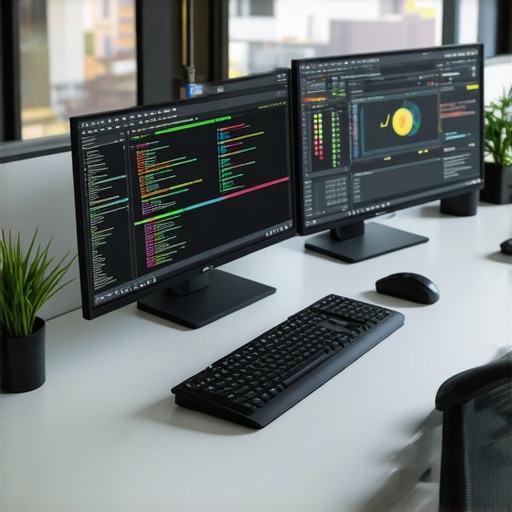
Ever been tangled in a web of cables, staring at a cluttered screen, wishing you had a magic wand to boost your productivity? I’ve been there. One day, I realized that my outdated monitor was silently sabotaging my efficiency, causing eye strain, and making multitasking a nightmare. That lightbulb moment hit hard — the right monitor isn’t just a luxury; it’s a game-changer. Today, I want to share how I transformed my workspace and how you can do the same with the perfect productivity monitor for 2025.
Why Your Monitor Choice Can Make or Break Your Day
Choosing the right monitor isn’t just about size or resolution. It’s about creating a visual environment that enhances focus, reduces fatigue, and supports your creative flow. In 2025, the market is flooded with options — from ultra-wide displays to color-accurate screens tailored for creative professionals. But not all monitors are equal, and picking the wrong one can lead to headaches or worse, burnout.
Statistics show that poor display ergonomics can decrease productivity by up to 20%. That’s a huge hit when your work depends on precision and speed. So, I set out to find a monitor that could handle my coding marathons and creative projects without compromising my health or my workflow. My goal was to find a display that’s reliable, adjustable, and, most importantly, a joy to look at for hours on end.
Have You Faced This Problem?
If you’ve ever squinted at a tiny screen, struggled with color mismatches, or felt eye strain after a long day of work, you’re not alone. These issues aren’t just minor annoyances—they’re productivity killers. The good news? The right monitor can transform your workspace from a cluttered chaos to a haven of efficiency. To guide you, I’ve compiled everything I learned into this comprehensive guide, covering the best options for office work and creative coding in 2025. Want to avoid the pitfalls I encountered early on? Keep reading.
Test Your Space and Needs
Before diving into specific models, measure your workspace and clarify your tasks. Use a tape measure to determine your desk space and note how much room you have for a larger or dual monitor setup. Think about your primary work: coding, creative design, or multitasking? For instance, I once realized my small desk couldn’t accommodate a 32-inch ultra-wide without cluttering my workspace. This prompted me to focus on compact but high-quality monitors. Check your current setup and identify your ergonomic needs, like adjustable height or tilt, to prevent strain. For detailed guidance, visit this comprehensive choosing guide.
Determine the Resolution and Screen Size
Resolution impacts clarity—think of it as your monitor’s pixel density, which directly influences your work precision. For creative professionals, 4K (3840×2160) is a sweet spot, offering crisp detail without sacrificing performance. For office tasks and coding, a 27-inch monitor at 1440p or 4K provides ample workspace without being overwhelming. I started with a 27-inch 1440p monitor for coding, but after trying a 32-inch 4K display, I experienced a notable boost in productivity. Use tools like these top 4K monitors to find your ideal size and resolution pairing.
Prioritize Color Accuracy and Panel Technology
For creative work, color fidelity matters — it’s like choosing the right paint for your masterpiece. IPS panels excel here, offering vibrant colors and wide viewing angles. If you’re a designer or photographer, invest in a monitor with a Delta E accuracy below 2 and coverage of Adobe RGB or DCI-P3. I once switched from a TN panel to an IPS display and immediately noticed the difference in color consistency. For the best options, check color-accurate monitors for creatives.
While choosing the perfect monitor for 2025 might seem straightforward, many seasoned professionals still fall prey to misconceptions that diminish their productivity or even harm their eyes. Let’s dig deeper into some of the most prevalent myths and reveal the hidden nuances that can make or break your workspace setup.
Why Bigger Isn’t Always Better for Your Screen
Many assume that a larger monitor automatically equals better productivity. However, size alone doesn’t determine usability. A 32-inch display might seem tempting, but if your desk space is limited or you sit too close, it can cause neck strain and reduce your focus. Instead, consider a monitor that balances size with resolution and ergonomic features. For instance, a 27-inch 4K monitor often provides ample workspace without overwhelming your sight or your desk, especially if paired with adjustable stands. Remember, the goal is to optimize your viewing distance and comfort, not just to maximize screen real estate.
Refresh Rate Is Just for Gamers—Or Is It?
A common misconception is that refresh rate is only relevant for gaming. The truth is, a higher refresh rate (like 144Hz versus the standard 60Hz) can reduce eye strain during long hours of work, especially when scrolling or reading text. For professionals engaged in detailed tasks such as video editing or coding, a higher refresh rate can smooth out visual motion and improve overall comfort. So, don’t dismiss higher refresh rates as merely a gaming feature; they can significantly enhance your daily workflow, reducing fatigue and increasing focus.
Color Accuracy Is Only for Creatives—Think Again
While creative professionals often prioritize color gamut and calibration, many overlook its importance for everyday office work. Accurate colors and consistent display calibration can prevent eye strain caused by mismatched hues or flickering, especially when working with multiple monitors. Furthermore, color accuracy benefits tasks like data visualization and design review, where precision is crucial. For a comprehensive workspace, consider monitors with Delta E accuracy below 2 and wide color coverage, even if you’re not a graphic designer. You can explore options like color-accurate monitors to enhance your visual fidelity.
Advanced Users Ask: How Does Panel Technology Impact Long-Term Comfort?
Panel technology—IPS, TN, or OLED—affects not just color and response time but also your eye health over prolonged use. IPS panels are renowned for their wide viewing angles and consistent color, but some believe they cause more eye strain than TN panels. Recent studies suggest that flicker-free IPS monitors with low blue light emissions can actually reduce eye fatigue, making them ideal for intensive work sessions. OLED displays, while excellent for contrast, can sometimes flicker at low brightness levels, potentially aggravating discomfort if not properly configured. When choosing a monitor, prioritize models with flicker-free technology and low blue light filters to support your long-term eye health and productivity.
Have you ever fallen into this trap? Let me know in the comments!
Maintaining your monitor’s peak performance is essential to ensure consistent productivity and visual comfort over time. I personally rely on a combination of software tools and routine practices to keep my displays running smoothly and accurately. One of my favorite software solutions is f.lux, which I use daily to adjust blue light emission according to the time of day. This not only reduces eye strain but also helps maintain my sleep cycle, especially when working late into the night. Additionally, I utilize monitor calibration tools like CalMAN to periodically recalibrate my display, ensuring color accuracy remains sharp for creative projects. Regular cleaning is another simple yet effective maintenance step—using a microfiber cloth and gentle cleaner prevents dust buildup and preserves clarity.
Looking ahead, I predict that AI-driven calibration and maintenance tools will become more prevalent, offering real-time adjustments and predictive alerts for potential issues. Embracing these innovations now can prolong your monitor’s lifespan and optimize its performance without the hassle of manual tweaks.
How do I maintain my monitor over time?
To keep your monitor working efficiently and extend its life, establish a routine: clean the screen weekly, calibrate every few months, and keep firmware up-to-date if your device supports it. For example, some high-end monitors include built-in software that automatically updates drivers and firmware, reducing the need for manual intervention. Additionally, controlling ambient lighting and avoiding direct sunlight on the screen can prevent glare and color distortions, preserving image quality. I also recommend investing in a quality monitor stand or arm that allows for ergonomic adjustments—this minimizes physical strain and prevents misalignment that could cause long-term wear.
For more detailed guidance on maintaining your workspace setup, check out this comprehensive guide. It covers everything from ergonomic positioning to software optimization.
Remember, proactive maintenance not only preserves your monitor’s performance but also saves you money in the long run. Try integrating a weekly cleaning routine combined with periodic calibration, and you’ll notice your display staying vivid and accurate longer. Plus, keep an eye on emerging AI tools—they’re set to revolutionize monitor care in upcoming years. Staying ahead of these trends ensures your workspace remains efficient and your eyes remain comfortable for years to come.
The Unexpected Truths That Changed My Approach to Monitors
One of the most eye-opening lessons I learned was that bigger isn’t always better. I used to think that a massive 32-inch screen would turbocharge my productivity, but I quickly realized that size can be a double-edged sword, especially in limited spaces. Finding that sweet spot—like a 27-inch 4K monitor—made a huge difference in comfort and efficiency. Additionally, I discovered that refresh rate isn’t just for gamers. A higher refresh rate, such as 144Hz, actually reduces eye fatigue during long working hours, making my workday feel smoother and less stressful. Lastly, I underestimated the importance of color accuracy outside of creative fields. Having a monitor with excellent color fidelity helped me prevent eye strain and improved my overall visual experience, even for coding and office tasks. These lessons taught me that thoughtful choices in monitor features can profoundly impact your health and productivity, often in ways you least expect.