
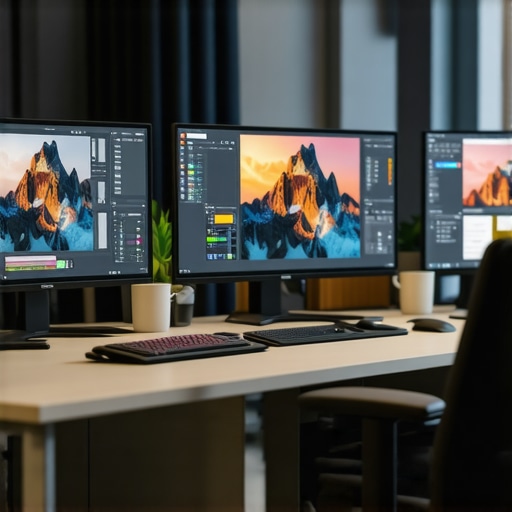
I still vividly remember the frustration of working late into the night, squinting at a dull, washed-out screen, trying to match colors for a client project, only to realize afterwards that I’d used the wrong hue. That lightbulb moment hit me hard: how could I produce truly vibrant, consistent colors on my monitor if it simply wasn’t up to the task? It wasn’t just an annoyance—it was a barrier to my creativity and productivity. Since then, I’ve learned the critical importance of owning a top-tier, color-accurate monitor, especially in 2025, where digital work demands precision and seamless workflows.
Why Choosing the Right Monitor Has Never Been More Crucial
Today, more than ever, the tools we use determine the quality of our work. A high-quality, color-accurate monitor isn’t just a luxury; it’s a necessity for professionals in design, development, and content creation. The wrong display can lead to misaligned colors, eye strain, and wasted hours fixing mistakes that could have been avoided. According to a recent report, up to 80% of creative professionals cite display calibration as critical to their workflow and final output. That’s a huge deal in an era where visuals sell and differentiate your work from the competition.
Is investing in a top-color-accurate monitor really worth it?
When I first considered upgrading, I almost fell for cheap options promising bright screens without considering true color fidelity. I made the mistake of choosing a high-refresh-rate gaming monitor for creative work—sounds tempting, but it lacked the color accuracy I desperately needed. The mistake taught me that not all screens are created equal. Now, I believe that selecting the right monitor is about understanding your specific needs, whether for precise color reproduction or seamless multitasking. Will you face the same dilemma? Let’s explore how to avoid common pitfalls and pick a monitor that truly elevates your work.
Prioritize Accurate Calibration From Day One
Start by calibrating your monitor thoroughly using hardware calibration tools—trust me, I once tried to eyeball settings for a project, only to face color inconsistencies later. Connecting a colorimeter to your display ensures true color reproduction, which is crucial for design and photo editing. Once calibrated, save these profiles and set them as default to maintain consistency across sessions. For comprehensive guidance, check out our best color-accurate monitors for creative professionals in 2025.
Optimize Your Workspace with the Right Monitor Arrangement
Imagine trying to juggle multiple tasks on a cluttered desk—it’s chaos. The same applies to your digital workspace. Setting up a dual monitor system using the dual monitor setup ideas can drastically improve efficiency. Position your primary screen directly in front of you, with the secondary at a slight angle. For creative work, a 4K monitor for detailed editing combined with a second high-resolution screen for reference materials can streamline your workflow. Use monitor arms for flexibility, and ensure your deskspace minimizes cable clutter for maximum focus.
Choose Monitors That Complement Your Tasks
Having a 4K monitor for creative projects and a dedicated productivity monitor for writing and research can feel like having the best of both worlds. Remember, not all monitors are created equal—look for features like delta E color accuracy and wide color gamuts. If you’re serious, a dedicated 4K office monitor can handle your daily tasks with ease, while specialist displays are better suited for editing. For those aiming to maximize productivity, pairing your displays with ergonomic accessories boosts comfort during long hours.
Use Benchmarks and Tests to Maintain Peak Performance
Regularly testing your setup keeps your workflow consistent. Use online calibration tools or professional calibration hardware periodically to verify your display’s color accuracy. This is similar to tuning a musical instrument—small adjustments ensure harmony. Performing these checks every few months prevents drift in color fidelity, ensuring your work remains reliable. If you’re considering a new monitor, review our ultimate guide to 4K monitors to make an informed choice.
Leverage Smart Features for Seamless Workflow
Modern monitors offer features like adjustable refresh rates, USB hubs, and anti-glare coatings that make a tangible difference. For example, using a monitor with a flicker-free screen reduces eye strain, which I learned after hours of creative editing left me exhausted. Additionally, built-in color calibration tools onboard some displays simplify maintaining color accuracy without external software. To enhance your setup further, explore our dual monitor setup ideas. These tips can transform an average workspace into a powerhouse of productivity and creativity.While many believe that selecting a 4K monitor or a dual setup is primarily about resolution and screen size, the real quality lies in nuanced details that are often overlooked. For instance, a common misconception is that higher pixel count alone guarantees better productivity or color accuracy. However, factors like panel technology, color saturation, and calibration capabilities are critical for truly enhancing your work. Some assume that all office monitors with 4K support are equal, but premium models with wider color gamuts and hardware calibration tools significantly outperform budget options. Moreover, the myth that more screens always increase productivity can be misleading—poorly arranged or mismatched monitors can create more distractions than benefits. These misconceptions can trap even seasoned professionals, leading to subpar choices that hinder workflow or cause eye strain. Understanding the *hidden nuances*, such as gamma consistency, uniformity, and ergonomic features, helps in selecting displays that truly boost your efficiency and accuracy. For instance, some advanced monitors come with on-device calibration tools, reducing setup complexity and ensuring consistent quality over time. Because the ecosystem of monitors is complex, it’s essential to consult detailed reviews and expert insights—like those found in our guide to color accurate dual monitors—to avoid pitfalls. Remember, overlooking these finer points could be the reason your workspace feels less aligned with your professional demands. Have you ever fallen into this trap? Let me know in the comments.
Keeping your advanced monitors in top shape requires more than just initial setup; it demands ongoing maintenance and the right tools. Personally, I rely on hardware calibration devices like the X-Rite i1Display Pro, which ensures that my color-accurate monitors remain precisely calibrated over time. Utilizing such tools has saved me countless hours by preventing color drift and confirming that my displays meet professional standards. Regular calibration isn’t a one-and-done task; I incorporate quarterly checks using calibration software like DisplayCAL, which is an open-source solution trusted by many creative professionals. This approach guarantees consistency, whether I’m working on detailed graphics or long-term color grading projects. As monitor technology advances, tools that facilitate seamless calibration and maintenance will evolve, perhaps incorporating AI-driven adjustments to reduce manual effort. Looking ahead, I predict that future calibration devices will become more integrated with cloud-based services, automatically monitoring and adjusting display settings remotely, freeing us from manual interventions.
How do I maintain my display setup over time?
To ensure longevity and peak performance, I schedule routine hardware checks and software updates. Keeping my monitor firmware current, such as that from Dell or ASUS, resolves bugs and enhances compatibility with calibration tools. Proper physical care also plays a role: I clean my screens gently with microfiber cloths and avoid harsh chemicals that can damage sensitive coatings. Additionally, ergonomic adjustments—like using monitor arms for proper positioning—reduce wear on the hardware and maintain visual comfort during long sessions. Investing in a quality surge protector safeguards against power fluctuations that can damage your displays, especially important for dual setups or 4K monitors with sensitive electronics. Contact us to discuss tailored maintenance routines or inquire about professional calibration services. Remember, consistent upkeep and leveraging precise tools are key to long-term reliability and exceptional visual fidelity. For an in-depth look, our guides on maintaining color accuracy provide excellent tips tailored to your workflow. Don’t underestimate the power of routine checks—try scheduling your next calibration session today to maintain that perfect display harmony.
What I Wish I Knew When I Started Building My Perfect Setup
One of the most eye-opening lessons I learned was the importance of trusting quality over quantity. Early on, I believed that more screens or higher resolutions automatically meant better productivity. However, I soon realized that without proper calibration and color accuracy, these enhancements could become distractions rather than assets. Investing in a top-tier, color-accurate monitor changed the game for me, allowing my creative work and daily tasks to reach new levels of clarity and consistency.
Tools That Transformed My Workflow
Now, I rely on tools like the ultimate calibration guides and hardware colorimeters such as the X-Rite i1Display Pro, which I personally use to maintain precise color fidelity. These tools have not only saved me hours by reducing errors but also given me confidence in my work’s accuracy. My advice? Don’t underestimate the power of consistent calibration — it’s the secret ingredient to maintaining a professional edge.
Why Your Workspace Deserves More Than Just Fancy Gear
Beyond selecting the right monitor, creating an ergonomic environment with proper monitor placement and workspace arrangement can significantly impact your productivity and well-being. I discovered that investing in monitor arms and anti-glare coatings made long hours more comfortable and reduced eye strain. Remember, a sleek workspace isn’t just about aesthetics; it’s about fostering a environment where your work flows smoothly and comfortably. For guidance on setting up an efficient workspace, check out our office monitor selection guide.
Fighting the Drift — Maintaining Peak Display Performance
One key lesson I learned was the importance of routine maintenance. I schedule quarterly calibration checks and keep my monitor firmware updated to prevent color drift and ensure consistent performance. Simple physical care, like gentle cleaning with microfiber cloths and proper cable management, also contributes to longevity. Embracing these habits has preserved my setup’s integrity over years of heavy use. If you’re curious about how to keep your display in top shape, our trusted recommendations can guide you through.
What Would Change If You Upgraded Your Display?
Imagine working on a monitor calibrated to perfection, with colors so true you could almost reach out and touch them. The difference in workflow quality is profound. The small improvements, like a wider color gamut or a faster calibration process, can unlock more creativity and reduce frustrations. I encourage you to reflect on your current setup: Are you truly getting the most out of your equipment? The right technology, paired with mindful maintenance, can make your work feel more inspired and less strainful. If you’re ready to take the leap, explore our comprehensive guide for selecting the best 4K monitor for your needs.
Seize the Power of a Color-Accurate, Dual Setup
Combining a high-quality 4K creative monitor with a secondary workspace display transformed my productivity and creativity. The key is pairing the right tools with smart arrangement — a lesson I learned the hard way by mismatching screens that caused more hassle than help. Now, with a carefully calibrated dual-monitor setup, I work seamlessly across applications, and my visual tasks feel effortless. If you’re considering this upgrade, our dual setup tips could help you craft your ideal workspace, maximizing efficiency and comfort.
Remember, the journey to a workspace that truly supports your professional goals involves continuous learning and attention to detail. The right investment and habits can elevate your work from good to exceptional, all while protecting your eyes and mental clarity. So, what step will you take today to improve your visual workspace? Let me know below — I’d love to hear your plans or experiences with calibration, monitor selection, or workspace setup.