
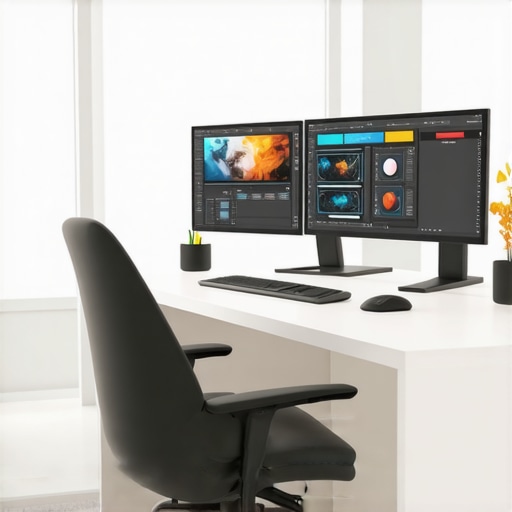
It hit me one hectic Monday morning—after hours of frustratingly adjusting my outdated monitor, I realized my cluttered, low-res workspace was holding me back more than I thought. My eyes strained, productivity dipped, and that sinking feeling crept in: was it my work ethic, or just my gear? That lightbulb moment led me down a rabbit hole of researching the best 4K monitors for creative and office work in 2025, and let me tell you, the difference was night and day.
The Struggle of Choosing the Right Display
For years, I thought a decent screen was enough—until I started noticing the toll on my eyes and the way my workflow slowed down. The truth is, an inadequately calibrated monitor can sabotage your productivity and creativity, making simple tasks frustrating and complex projects even more daunting. Transitioning to a high-quality 4K monitor was like having a new lens through which I viewed my work; everything became sharper, more vibrant, and more comfortable.
But not all 4K monitors are created equal. With so many options flooding the market in 2025, how do you pick one that truly enhances your workspace and doesn’t just burn a hole in your pocket? That’s what I set out to discover, and I want to share what I learned along the way.
Is 4K Really Worth the Hype?
Early in my search, I made the classic mistake of assuming that higher resolution automatically meant better. While resolution matters, factors like color accuracy, ergonomic features, and connectivity actually determine how much a monitor can improve your daily work. According to a study by TechRadar, the right display setup can boost productivity by up to 20%. This was a game-changer for me, and I bet many of you are sitting on outdated screens that are compromising efficiency and comfort.
Have you faced similar frustrations? If so, stick around—I’ll walk you through the critical aspects of choosing the perfect 4K monitor that not only meets your needs but elevates your entire workflow. From color precision to dual setups, we’ll cover everything you need to make an informed decision and transform your workspace.
Prioritize Color Accuracy to Elevate Creative Work
Start by evaluating your primary tasks. If you’re a designer or photographer, invest in a monitor with high color accuracy—look for specifications like AdobeRGB coverage over 99% and factory calibration. I once chose a budget-friendly 4K monitor without checking color specs, only to realize colors appeared dull when editing images. To avoid this, consult reviews like those on best color accurate monitors for creative professionals and verify color gamut coverage.
Assess Resolution and Screen Size for Clearer Details
Determine the optimal size that fits your workspace. I learned the hard way when I purchased a 27-inch monitor, assuming it would be enough, but my eyes felt strained after long hours. For detailed work, a 32-inch display provides ample space without sacrificing pixel clarity. Remember, 4K resolution offers four times the pixels of Full HD, so pair high resolution with a comfortable size. For guidance, check out top 4K monitors for office efficiency.
Prioritize Ergonomic and Connectivity Features
Look for adjustable stands with tilt, swivel, and height adjustment—these prevent neck strain over a long day. I once bought a monitor without ergonomic options, leading to discomfort after weeks. Additionally, ensure the monitor has multiple input options like HDMI, DisplayPort, and USB-C, enabling seamless connection to all devices. Think of it as building a good foundation for your workflow. Visit the ultimate guide to choosing the ideal office monitor for more insights.
Consider Dual Monitors for Boosted Productivity
Setting up two monitors instead of one can exponentially increase your efficiency—especially for multitasking. I experimented with a dual setup during a project and was surprised at how much more I could do. Position the monitors side by side, aligned at eye level, to create a seamless workspace. For layout ideas, explore dual monitor setup ideas. Don’t forget to calibrate both screens for color consistency, which is critical for creative tasks.
Test Before Finalizing Your Purchase
Always test monitors in person if possible, viewing color accuracy, response time, and ergonomics firsthand. During my last purchase, I made a trial run at a local store, which helped me avoid a model with poor viewing angles. If testing isn’t feasible, buy from retailers with good return policies, such as their hassle-free return policy. This approach ensures your chosen display truly meets your needs and prevents costly regrets.
When it comes to selecting monitors for professional work or enhancing productivity, many savvy users focus on specifications like resolution or color accuracy. However, what most people overlook are the nuanced pitfalls that can undermine the very benefits these features promise. Let’s dig deeper into the misconceptions and overlooked details that can trip up even seasoned users.
**Think Higher Resolution Always Equals Better**
A common myth is that bumping up to a 4K display automatically boosts productivity or creative quality. While a higher resolution enriches detail, it also demands more from your hardware and can lead to scaling issues, especially with older software. Many users forget that not all applications scale cleanly on 4K, leading to UI elements that are tiny or blurry. So, before jumping into a 4K upgrade, assess your software ecosystem. For an in-depth guide, check out our article on top 4K monitors for office efficiency.
**Color Accuracy Is Not Just About Specs**
It’s tempting to rely solely on manufacturer claims like 99% AdobeRGB coverage. But a monitor’s color fidelity also depends on factory calibration, viewing angles, and even the ambient lighting of your workspace. Overlooking these factors can result in inaccuracies, especially when working on color-sensitive projects. Be cautious of ‘out-of-the-box’ color claims and always seek calibration reports or professional validation. For dedicated advice, explore our best color accurate monitors for creative professionals.
**Dual Monitors Are Not Always Seamless**
Many assume that setting up dual monitors automatically doubles their productivity. In reality, mismatched refresh rates, color profiles, and bezels can cause significant distractions and inconsistencies. Also, improper positioning can lead to neck strain and reduced efficiency. The key is configuring both displays meticulously—matching settings and calibrations—to create a seamless workspace. Curious about optimal setups? Refer to our dual monitor setup ideas.
Is Your Workspace Ready for the Most Advanced Monitors? A Deep Dive
Preparing your workspace for advanced technology isn’t just about hardware—you need proper ergonomics, calibration tools, and workflow adjustments. Overlooking these can diminish the gains from high-end features. For example, a 4K monitor with excellent color accuracy won’t deliver true benefits if your desk setup causes glare or if your lighting isn’t optimized. Incorporate ergonomic principles and lighting considerations for true productivity gains. For comprehensive planning, scan our office monitor guide.
**Beware the Trap of Aesthetic Over Functionality**
It’s easy to get attracted to sleek designs or high pixel counts, but aesthetic choices often prioritize appearance over critical function. For instance, thin bezels might look stunning but can be fragile or obstructive when stacking monitors. Likewise, overly aggressive HDR settings can distort color accuracy if not properly calibrated.
To wrap up, understanding these hidden nuances can save you from costly mistakes and truly maximize your investment in technology. Remember, a high-quality monitor is only as good as how well it integrates into your workflow. Want to learn more about making the perfect choice? Browse our productivity monitor recommendations or reach out through our contact page. Have you ever fallen into this trap? Let me know in the comments.Investing in a top-tier color accurate monitor is only half the battle; keeping it performing at its best over time requires dedicated tools and habits. To ensure your display remains reliable, I personally rely on a combination of hardware calibration devices like the X-Rite i1Display Pro, which offers precise color measurements, and software such as CalMAN, that allows me to create and store custom calibration profiles. These tools help me maintain consistent color accuracy across projects, saving time and avoiding costly rework. Regular calibration—ideally monthly—is crucial, especially if ambient lighting conditions change or the monitor is used extensively. Additionally, keeping monitor firmware up to date via manufacturer software can prevent bugs that might affect performance or color fidelity. As displays evolve, the trend is moving toward hardware that can be recalibrated easily and with higher precision, leaning heavily into integrated calibration sensors. Future advancements may even automate this process, making maintenance seamless. A practical tip is to set a recurring reminder to calibrate your monitor, ensuring it stays within the desired color standards. How do I maintain my display’s accuracy over time? I make it a habit to calibrate at regular intervals with a high-quality device, and I always verify uniformity across the screen using calibration software. This proactive approach guarantees my colors stay consistent, which is especially critical during long creative sessions or client projects. To further improve your workflow, consider integrating calibration into your daily routine or with your computer’s startup sequence. Need a reliable starting point? Look into options like the X-Rite i1Display Pro, widely regarded as the industry standard for professional-grade calibration. Don’t forget, the consistency of your calibration can also be affected by ambient lighting; optimizing your workspace lighting with tools like bias lights can significantly enhance color perception and monitor stability. As display technology advances, keeping your hardware calibrated and updated ensures it continues to serve your creative or professional needs effectively. Want to explore more about how to get the most out of your office or creative workspace? Visit our comprehensive guide to color accurate monitors and start implementing these tips today!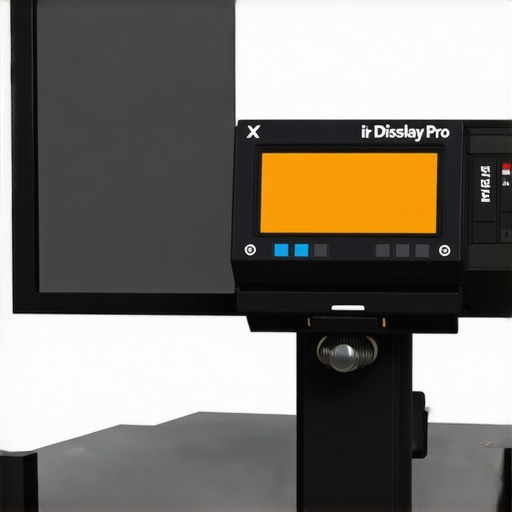 This image illustrates a professional calibration tool used to fine-tune color accuracy, emphasizing precision in monitor maintenance. Alt: Professional monitor calibration device measuring color fidelity. Title: Ensuring Long-Term Color Accuracy with Calibration Tools.Throughout this journey, I’ve learned that upgrading your monitor is more than just a hardware change—it’s a mindset shift that can redefine how you approach work and creativity. Investing in a high-quality 4K monitor or a tailored dual setup isn’t merely about sharper images; it’s about empowering yourself with tools that boost confidence and clarity. Remember, the most valuable insight is realizing that technology is an enabler, and understanding its nuances transforms it from a mere tool to a true asset. Genuine progress happens when you combine the right hardware, proper calibration, and a workspace optimized for your unique needs. Embrace the learning process, and let your environment encourage your growth.