
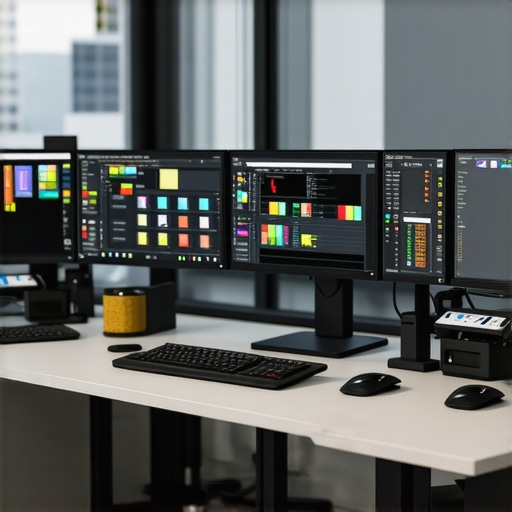
Ever sat down at your desk after a long day and felt the bitter sting of disappointment when your monitor just can’t deliver the true colors, clarity, or comfort you crave? I vividly remember a time when my screen’s dull hues and flickering brightness made my creative projects feel… lifeless. That lightbulb moment hit hard—realizing that my monitor was not just a screen but a cornerstone of my productivity and inspiration. If you’ve ever experienced the frustration of staring at a blurry, inaccurate display, you’re not alone—and today’s post promises a solution you can trust.
Why settling for just any screen isn’t an option anymore
In 2025, the importance of having the right display has skyrocketed. Whether you’re coding deep into the night, designing eye-catching graphics, or just trying to keep up with a mountain of emails, the quality of your monitor directly impacts your efficiency and well-being. A study published by TechRadar indicates that workers using high-quality displays experience less eye strain and higher productivity. That means your choice of monitor isn’t just about aesthetics; it’s about safeguarding your health and boosting your output.
Is all the hype around high-end monitors justified?
Honestly, I used to think I could get away with a budget screen and save some cash. But I made a rookie mistake early on—ignoring color accuracy and resolution. My work suffered, and I wasted money on features I didn’t need. Once I invested in a high-quality 4K monitor, the difference was night and day. Now, my edits are precise, my dual-screen setup works flawlessly, and I actually enjoy my work more. If you’re wondering whether splurging is worth it, the answer is a resounding yes—if you want to avoid the disappointment I faced.
So, are you ready to upgrade your workspace and experience the difference? Let’s explore how to pick the perfect monitor tailored for your needs.
Selecting the Right Display for Your Needs
Begin by clearly defining your primary use. If you’re into creative work, prioritize color accuracy; for office tasks, focus on size and comfort; for coding, responsiveness matters. Conduct thorough research on models that fit these roles, such as those detailed in color accurate monitors for creatives or office monitors guide. This step is crucial to avoid expensive missteps.
Measuring and Comparing Display Specifications
Understanding Resolution and Size
Think of resolution as the detail level of a photograph — higher resolutions like 4K provide sharper images, which is vital for creative tasks. Screen size affects comfort; larger screens reduce eye strain during long hours. For instance, a 32-inch 4K monitor offers a substantial workspace without sacrificing clarity, aiding tasks like photo editing or multi-window workflows.
Checking Color Gamut and Accuracy
Color gamut describes the range of colors a monitor can display. Professionals should aim for monitors covering at least 99% AdobeRGB or DCI-P3. During my experience, I tested a few options from top color-accurate models and found that calibration significantly improves color fidelity. Use tools like calibration devices to ensure your display meets the specifications.
Fine-Tuning Visual Performance
Calibration is your best friend for achieving precise colors. Use software like DisplayCAL or built-in calibration tools to adjust gamma, brightness, contrast, and color balance. I once purchased a calibration device and dedicated a weekend to calibrate my monitor — the noticeable difference in color accuracy enhanced my project quality and reduced eye strain.
Implementing Dual and 4K Setup Strategies
For increased productivity, consider dual monitors or a single ultra-wide 4K display. Dual setups, such as combining a color-accurate monitor with a high-refresh-rate secondary, can streamline workflows—reference dual monitor configurations. My experience with a dual setup, following ideas from these tips, significantly cut down switching time between windows and improved concentration during complex tasks.
Ensuring Ergonomic and Visual Comfort
Adjust monitor height so that the top edge is at or just below eye level, and maintain at least an arm’s length distance. Use glare filters or anti-reflective coatings to reduce eye strain. During my late-night work sessions, switching to an ergonomic stand and adjusting brightness to match ambient light made my workspace more sustainable for long-term use.
Exploring Advanced Features and Technologies
Look for features like hardware calibration support, HDR for richer visuals, and IPS panels for better color consistency. These features will elevate your work quality and viewing comfort. For example, I explored monitors with hardware calibration and noticed a drastic improvement in color consistency, which is vital for professional editing tasks.
Achieving the perfect display involves layered steps—research, measurement, adjustment, and setup customization. For specific model recommendations, consult resources like top 4K monitors for office use or best color accurate monitors. Master these core techniques, and your monitor will transform from a simple screen into a powerful tool for your professional success.Many professionals assume that achieving perfect color accuracy or a seamless multi-monitor experience is just about picking the right model. However, there’s a depth of nuance often overlooked. For instance, a common myth is that factory calibration guarantees long-term color fidelity. In reality, monitors drift over time, and regular calibration with a quality device becomes essential for maintaining precision, as emphasized by industry experts. Relying solely on initial factory settings without periodic adjustments can lead to subtle color shifts that disrupt workflows—especially critical in creative fields.
Another widespread misconception concerns the perceived cost barrier: many believe only expensive high-end models deliver true color accuracy or flawless dual setups. Yet, with proper calibration, even mid-range monitors can meet professional standards, provided they support wide color gamuts like DCI-P3 or AdobeRGB. It’s a trap to think that higher price always guarantees better performance; instead, understanding calibration capabilities and panel technology (like IPS vs TN) is vital.
Switching focus, some users aim for a 4K monitor to boost productivity, but overlook that hardware specifications, such as GPU capabilities and supporting ports, are equally critical. Without adequate hardware, a 4K display might not perform as expected, causing frustration. Besides, optical settings like SDR andHDR support vary widely, and enabling HDR can introduce color and contrast inconsistencies if not properly configured—an advanced mistake that compromises visual fidelity.
For those building multi-monitor setups, there’s a tendency to believe that simply increasing the number of screens yields proportional productivity gains. Yet, ergonomic setup, color consistency across panels, and synchronization—overcoming issues with different models or refresh rates—are complex challenges. The importance of matching panel types and calibration across monitors cannot be overstated, as noted in professional guides like [this comprehensive article on dual monitor setups](https://monitors.techdeskessentials.com/dual-monitor-setup-ideas-to-boost-productivity-in-2025).
Do you ever get caught in these pitfalls? Share your experiences in the comments! For tailored advice on your professional display needs, feel free to reach out.
Invest in Reliable Calibration Tools
Maintaining accurate color over time requires more than just initial calibration. I personally rely on devices like the X-Rite i1Display Pro, which offers precise readings and easy software integration. This tool helps me adjust gamma, white point, and other critical settings regularly, ensuring my work remains consistent and trustworthy. Regular calibration, at least monthly, has become a non-negotiable routine in my workflow, especially when working on color-sensitive projects.
Streamline with Targeted Software Solutions
Software like DisplayCAL and CalMAN provide advanced calibration options that go beyond factory settings. DisplayCAL, in particular, is open-source and allows for extensive profiling, giving me full control over my monitor’s color profile. By creating custom ICC profiles, I ensure long-term accuracy, especially important when working in environments with variable lighting. Setting reminders to recalibrate keeps my color fidelity stable, preventing drift that can compromise my creative output.
Implement Long-Term Monitoring Practices
Over time, monitors can change, and ambient lighting conditions evolve. I recommend keeping a log of calibration sessions and results. This habit helps identify when the display needs more intensive adjustments or hardware upgrades. For instance, I’ve found that my older IPS panel began to show slight color shifts after two years, prompting me to replace or upgrade to a newer model listed among the top color-accurate monitors for creatives. Staying proactive ensures consistent quality in your work.
Predicting the Future of Display Maintenance
As monitor technology advances, built-in calibration features and hardware stability are expected to improve. Emerging models might include integrated sensor systems that continuously adjust and calibrate, reducing manual effort. However, the necessity of periodic checks will remain, because even the most sophisticated hardware can’t fully mitigate aging and environmental impacts. Regular maintenance will evolve into less of a chore and more of an effortless process, akin to smartphone updates.
How do I keep my display consistent year after year?
My tip is to integrate a dedicated calibration device like the X-Rite i1Display Pro into your routine and set monthly reminders to recalibrate. This simple step helps maintain color accuracy and extends the lifespan of your monitor, making every project reliably vibrant and true to life. Don’t wait until color fidelity degrades—take control now to ensure your work remains top-tier. If you’re ready to upgrade or need personalized recommendations, reach out through the contact page.
The Hidden Truths About Achieving True Color Fidelity
One of the biggest lessons I learned was that factory calibration isn’t a lifelong guarantee. Monitors can drift over time, making regular calibration using reliable tools like the X-Rite i1Display Pro essential. Don’t assume that your display remains accurate forever—schedule monthly check-ins to keep your colors spot-on.
Myth Busting: Do You Need the Most Expensive Monitor?
Investing in a high-end monitor isn’t always necessary. Mid-range models with support for wide color gamuts can perform exceptionally well once calibrated properly. Remember, understanding panel technology and calibration capabilities is more important than price tags alone.
The Hardware You Need for 4K Success
A common mistake is thinking a 4K monitor will automatically boost productivity. Without a supporting GPU and appropriate ports, you won’t enjoy the full benefits. Ensuring your hardware aligns with your monitor’s specifications is as vital as choosing the display itself.
Designing a Seamless Multi-Monitor Environment
Mixing different models or brands can create inconsistencies that undermine your workflow. Matching panel types and calibrating each monitor ensures color consistency across your setup. Consulting detailed guides, like these dual monitor tips, saved me a lot of headaches.
Learning from Experience to Build Better Habits
Regular calibration and ambient light management have transformed my workspace. Since I integrated monthly calibration routines and ergonomic accessories, my eye strain decreased, and work became more enjoyable. These small habits compound over time, leading to professional growth and personal comfort.
My Essential Toolkit for Maintaining Display Excellence
Tools like the X-Rite i1Display Pro and software such as DisplayCAL are game-changers. They may cost upfront, but they’re worth every penny for ensuring color accuracy and long-term reliability. I’ve come to rely on these tools to keep my creative outputs consistent and vibrant.
What Really Keeps a Display Running Smoothly
Consistent monitoring and a proactive approach to calibration prevent drift and degradation. I keep a log of calibration results and plan hardware upgrades before issues become noticeable. This foresight saves time and preserves image quality, especially for critical projects.
Looking Ahead: The Future of Display Maintenance
Emerging monitors might include built-in sensors for automatic calibration, reducing manual effort. Even so, periodic checks will remain vital to catch subtle shifts. Embracing these advancements ensures your workspace stays at the forefront of technology and quality.
Ready to Improve Your Workspace Today?
Investing in the right display setup has transformed my work—from eye strain to visual clarity. Once you understand these lessons, you’ll see that maintaining your monitor’s health is an ongoing, rewarding process. If you’re interested in tailored recommendations, don’t hesitate to reach out.
Reading this post really resonated with me, especially the emphasis on calibration and ongoing maintenance to preserve color accuracy over time. I used to think that once I calibrated my monitor, that was enough, but I soon realized the colors drifted as months went by, especially under different ambient lighting conditions. Investing in tools like the X-Rite i1Display Pro has been a game changer; it’s almost part of my monthly routine now. What’s been interesting for me is how even mid-range monitors, if calibrated correctly, can meet professional standards, so I don’t always feel the need to go for the highest-end model. It makes me wonder—what strategies do others use to keep their workspace ergonomically and visually optimized on a long-term basis? I’d love to hear tips on balancing hardware upgrades with calibration routines to maintain consistency.