
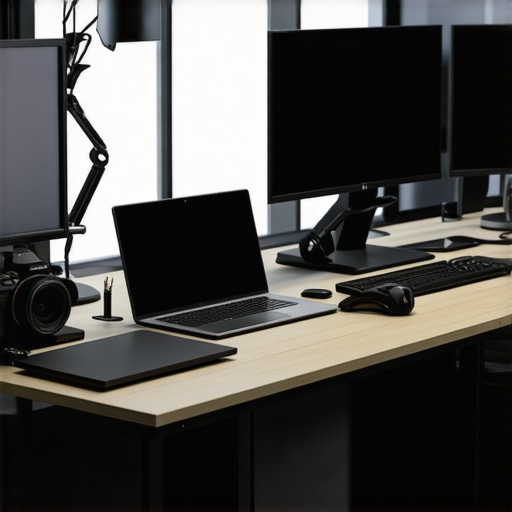
I remember the exact moment when I realized my outdated monitor was holding back my creativity and productivity. It was during a late-night project, staring at a flickering screen, feeling the frustration of squinting and struggling to see fine details. That lightbulb moment hit me—my old display was no longer enough in this new era of 4K clarity and precision. Since then, I’ve made it my mission to find the best 4K monitors that truly elevate our work and creative efforts in 2025.
Why Your Current Monitor Might be Sabotaging Your Success
Let’s be honest—how many times have you felt overwhelmed by color inaccuracies, lag, or insufficient screen real estate? Many professionals and creatives still cling to older monitors, unaware of how much they miss out on quality, efficiency, and comfort. This gap is becoming more apparent as technology advances rapidly, making high-resolution, color-accurate displays more accessible and necessary than ever.
Recent studies indicate that using high-quality monitors can boost productivity by up to 30%. Moreover, color accuracy can significantly impact creative output, especially for designers and photographers aiming for precise color matching. For instance, research by Adobe suggests that work involving accurate color perception benefits immensely from calibrated displays. Yet, many overlook this, making a crucial mistake early on—settling for a display that doesn’t meet their needs.
If you’re still unsure whether investing in a top-tier 4K monitor is worth it, consider this: a good monitor doesn’t just enhance visual appeal—it reduces eye strain, improves workflow, and ensures your hard work appears exactly as intended. Having experienced the frustration firsthand, I can tell you that upgrading changed my workflow dramatically. To help you avoid common pitfalls, check out our detailed guide on [choosing the ideal office monitor for 2025](https://monitors.techdeskessentials.com/choosing-the-ideal-office-monitor-2025-guide-for-professionals).
In the next sections, I’ll walk you through how to select the perfect 4K monitor tailored to your creative or office needs, ensuring you’re not just buying a screen, but investing in a game-changer for your work.
Assess Your Workspace and Needs
Begin by analyzing your current workspace and job requirements. For creative professionals, a color-accurate monitor is essential, while office workers benefit from screens that boost multitasking. Take note of your desk size, lighting conditions, and preferred viewing angles. I once upgraded my desk to accommodate a dual monitor setup, which immediately improved my workflow, especially when multitasking between coding and design tasks.
Select the Right Monitor Features
Focus on key features: resolution, color accuracy, refresh rate, and ergonomic adjustments. For high-detail work, opt for a 4K resolution that offers crisp visuals. If you need precise colors, choose models highlighted in color accuracy guides. For smoother visuals during video editing or fast-paced tasks, look for a refresh rate of at least 75Hz. Ergonomics, like height adjustment and swivel, ensure comfort during long hours.
Compare and Test Before Buying
Visit local stores or read reviews to compare monitors. Pay special attention to color calibration and response times. I once ordered a monitor based solely on specs and later realized its colors were off. To avoid this, I tested a few units in-store by viewing test images and videos. If possible, request a demo to see how the screen performs under different lighting conditions. For more tailored options, explore our ultimate guide to 4K color-accurate monitors.
Optimize Dual Monitor Setup for Workflow
Deploy dual monitors to expand your visual workspace. Place the primary display directly in front of you and secondary to the side at a slight angle. Use consistent model types for seamless color and resolution. Adjust their height and tilt to prevent neck strain. I experimented with various configurations until I found the optimal setup for coding on one screen and referencing documentation on the other. For creative tasks, consider specialized dual monitors designed for color accuracy.
Implement Calibration and Color Management
Regular calibration ensures color consistency, vital for creative professionals. Use hardware calibration tools for precise adjustments. I scheduled monthly calibrations, which drastically improved my print and digital color matching. Combine calibration with software profiles to maintain accuracy across different applications. For comprehensive guidance, review our guide on color calibration.
Many experts emphasize choosing high-resolution 4K monitors for productivity and creative work, but what they often overlook are the subtle pitfalls that can undermine your investment. One common myth is that higher pixel counts automatically translate to better performance. In reality, resolution is just one piece of the puzzle; factors like panel technology, color calibration, and even placement play critical roles in truly maximizing your workspace. For instance, IPS panels are often championed for color accuracy, but they might suffer from glow or contrast issues, which can affect precise editing. Additionally, many assume that dual monitor setups are a simple upgrade—yet, without proper calibration and ergonomic alignment, they can introduce eye strain and disjointed workflows rather than seamless efficiency.
Can a 4K Monitor Truly Boost Productivity, or Are We Missing the Subtle Details?
I’ve seen many fall for the trap of equating size and resolution with productivity gains. However, studies, such as those from the University of Utah, suggest that visual ergonomics—like proper calibration, consistent color profiles, and viewing angles—are often more pivotal than raw specs. Overlooking these nuances can lead to frustration, eye fatigue, or misrepresented colors, particularly for creative professionals relying on color accuracy. A common mistake is neglecting to calibrate their monitors regularly, which can cause color drift over time and impact output quality. To truly harness a monitor’s potential, investing in hardware calibration tools and understanding monitor calibration workflows is essential, as highlighted in our [ultimate guide on color calibration](https://monitors.techdeskessentials.com/ultimate-guide-to-color-accurate-dual-monitors-for-productivity). Additionally, dual setups require careful consideration of positioning—placing monitors at eye level and in an arrangement that minimizes neck strain can enhance overall comfort and productivity. So, whether you’re working on detailed design or managing multiple spreadsheets, mastering these subtle details makes all the difference. Have you ever fallen into this trap? Let me know in the comments.
Investing in a high-quality 4K monitor or dual setup is just the beginning. To ensure your displays continue to deliver optimal performance, routine maintenance and the right tools are crucial. I personally rely on hardware calibration devices like the X-Rite i1Display Pro, which allows me to perform monthly color calibrations, maintaining consistent accuracy essential for creative work. Regular cleaning with microfiber cloths prevents dust buildup that can affect display clarity and color accuracy, while software tools such as DisplayCAL automate calibration processes, saving time and ensuring precision. As monitor technology evolves rapidly, staying updated with firmware updates from manufacturers like Dell or LG can resolve bugs and enhance features, keeping your setup running smoothly. In the future, I predict more integration of AI-driven calibration tools that adjust display settings dynamically, reducing manual interventions.
How do I maintain my monitor’s performance over time?
The key to long-term monitor health starts with a disciplined routine. Schedule monthly calibration sessions using reliable tools—I’ve found hardware calibrators invaluable for creative professionals relying on color precision. Keep the screen free of dust and smudges using gentle microfiber cloths; this preserves clarity and prevents particles from causing pixel damage. Always update your monitor’s firmware, available on manufacturer websites, to fix known issues and unlock new features. Additionally, inspect cable connections regularly to prevent signal loss or flickering complications. When setting up new hardware or upgrades, consider ergonomic solutions like adjustable mounts to avoid strain that can lead to wear and tear—good posture and proper placement directly influence device longevity. These maintenance practices, combined with a commitment to staying informed via trusted sources like expert reviews, help your monitor remain reliable and vibrant for years to come. For detailed guidance, you might explore our comprehensive ultimate guide to 4K color-accurate monitors. Remember, consistent upkeep not only preserves your investment but also ensures sustained productivity and creative precision.
The Unexpected Turns in My 4K Journey
One of the most profound lessons I learned was that more pixels alone don’t guarantee better work—it’s about how you treat your display. Initially, I believed that simply upgrading to a higher resolution would instantly boost my productivity, but I overlooked calibration, ergonomics, and panel quality. The real breakthrough came when I realized that investing in hardware calibration tools transformed my creative output and color consistency. This taught me to look beyond specs and focus on the details that truly matter. Sometimes, the biggest gains come from mindful adjustments rather than new purchases.
Tools and Insights That Elevated My Routine
Over time, I found certain resources indispensable for maintaining top-notch display performance. My go-to is the ultimate guide to color calibration—it demystified how to keep my monitor’s colors spot-on. The best 4K monitors for office efficiency list helped me select displays that balance performance with comfort, emphasizing ergonomics and connectivity. For my creative projects, the color-accurate monitors guide introduced me to panels designed for precision, which made a palpable difference in my workflow. Trusting thorough reviews and expert tips has kept me ahead of display technology trends.
Embrace the Shift—Your Creative Future Awaits
Upgrading your monitor setup isn’t just about pixels—it’s about reimagining your possibilities. Whether you’re designing, coding, or managing multiple projects, your workspace can become a sanctuary of productivity and inspiration. Remember, the right tools combined with mindful adjustments can propel your work to new heights. The journey toward an optimal display setup is ongoing, but every small step fosters growth. Take this as an invitation to invest thoughtfully, calibrate regularly, and craft a workspace that reflects your best self. Your next breakthrough could be just one screen upgrade away.
Reading this post really resonated with my own experience of upgrading my workspace. I remember the frustration of working late into the night with an outdated monitor that kept flickering and distorted colors—it was a major productivity killer. Switching to a top-notch 4K display made a huge difference, especially for me as a photographer where accurate color reproduction is critical. I’ve also learned the importance of regular calibration; even the best monitors drift over time. I use software like DisplayCAL along with a hardware calibrator to keep my colors consistent. One thing I’ve grappled with is finding the right ergonomic setup to avoid neck strain, especially with dual monitors. Do you think AI-driven calibration tools will soon become standard for home setups? It seems like a promising step toward making calibration more accessible for everyone.