
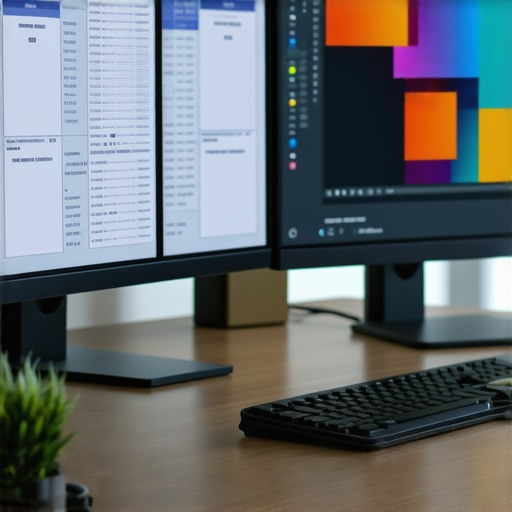
I remember the exact moment I realized my old monitor was holding me back. I was trying to finish a design project late into the night, eyes straining, colors looking dull, and my productivity taking a nosedive. That’s when I finally understood that my display setup wasn’t just a piece of tech; it was the foundation of my work. If you’ve ever felt frustrated because your monitor can’t keep up with your creative ideas or your workload, you’re not alone. Many professionals stumble into this same problem—settling for screens that are just okay when what they really need are the best 4K monitors for 2025.
Why Choosing the Right Monitor Matters More Than Ever
In 2025, the landscape of work and creativity has shifted dramatically. Higher resolution, better color accuracy, and ergonomic features aren’t just luxuries anymore; they’re essentials. A high-quality 4K monitor can transform your workspace, reduce eye strain, and boost your efficiency. But with so many options flooding the market, how do you pick the right one? I’ll guide you through the key factors that made a huge difference in my own setup, and I’ll help you avoid costly mistakes that can undermine your productivity and creative flow.
Have you ever bought a monitor that promised greatness but ended up being just okay? I did. Early on, I chose a budget screen that looked fine at first but quickly proved to be a nightmare for color accuracy and responsiveness. That mistake taught me that investing in a top-tier monitor pays off—big time. If you’re serious about your work, you’ll want to read on to discover what features truly matter and how to find a display that aligns with your needs. For more detailed guidance, check out our comprehensive office monitor buying guide for 2025.
Is 4K Really Worth the Hype for Creative Professionals?
One common skepticism I hear is whether 4K resolution is genuinely necessary or just a marketing gimmick. I used to think the same until I experienced the difference firsthand. The extra pixel density not only sharpens images and text but also makes multitasking seamless—especially with dual monitor setups. Plus, for photographers, designers, and video editors, color accuracy and resolution combine to ensure every detail is perfect. A study published by PC Gamer highlights that professional workflows benefit immensely from 4K displays, reducing the need for zooming and panning, which speeds up your work and minimizes eye strain.
My early mistake was underestimating how much a good monitor could improve my workflow. I thought I could get by on standard displays, but once I upgraded, everything changed. My projects looked better, I worked faster, and I felt less fatigued after long hours. That’s why I recommend taking the time now to choose a monitor that truly matches your creative and productivity needs. Ready to see what options are out there? Let’s dive into the top features to look for and the best models in 2025.
Prioritize Your Needs Before Buying
Start by clearly defining what you need your monitor to do. Are you editing photos, designing layouts, coding, or simply managing multiple documents? I once bought a high-end 4K monitor with all the bells and whistles, only to realize later that I didn’t need half of its features. To avoid this, list your primary tasks and match them with key monitor specs such as resolution, color accuracy, and ergonomics. For example, creative professionals should check out color accuracy and calibration features. Knowing your goals will streamline your search and prevent overspending on unnecessary features.
Compare Resolution and Screen Size Effectively
Think of resolution and size as the engine and chassis of a car. A 27-inch 4K monitor offers sharp details without overwhelming your desk, especially if you work close to the screen. When I upgraded from a 24-inch FHD to a 32-inch 4K, I immediately noticed how much more immersive my editing and coding sessions became. To get this right, consider your workspace and how much visual real estate you need. Larger screens with higher resolution boost multitasking; you can have multiple windows open side by side without sacrificing clarity. Check out our top 4K monitors for 2025 to see what fits your needs.
Evaluate Color Accuracy and Calibration Features
Color accuracy is your best friend if you work with images or videos. I once bought a monitor that looked vibrant out of the box but was off by several shades—causing headaches during color-critical tasks. Look for IPS panels with factory calibration and support for wider color gamuts like AdobeRGB or DCI-P3, especially if you’re into creative work. Regular calibration tools or built-in sensors make a difference in maintaining color fidelity over time. For detailed insights, visit best color accurate monitors and learn about the latest calibration technologies.
Consider Dual Monitors for Seamless Workflow
Pairing two monitors can transform your productivity, much like adding extra lanes to a highway. I experimented with a dual setup for coding and design, and the difference was night and day. I could drag code on one screen while previewing designs on the other without toggling between tabs. To maximize this, choose monitors with matching resolutions and color profiles. Check out dual monitor ideas for layout tips that will help you work faster and more comfortably.
Prioritize Ergonomics and Connectivity
A monitor isn’t just about visuals; comfort and connectivity matter too. Adjustable height, tilt, and swivel features prevent neck strain during long work sessions. I learned this the hard way after a few weeks of an inflexible screen, leading to back pain. Also, ensure your monitor has enough ports—USB-C, HDMI, DisplayPort—to connect all your devices seamlessly. This can save you from clutter and frustration. For ergonomic setups and connection tips, visit office monitor guide 2025.
Test Before Committing
If possible, test monitors in person or buy from retailers with flexible return policies. I once ordered a monitor online based only on specs, but the color temperature was off, and the viewing angles were limited. Testing helped me identify these issues early, and I swapped it for a better model. Pay attention to viewing angles, brightness, and how the display looks in different lighting conditions. This step ensures your investment truly enhances your workflow and creative output.
Many professionals and enthusiasts alike fall into common traps when selecting their ideal monitor setup, often because of misconceptions or overlooked nuances. One widespread mistake is assuming that all 4K monitors are created equal; in reality, the quality of the panel, color calibration, and ergonomics can vary significantly, impacting your productivity and creative output. For instance, opting for a budget-friendly 4K display might save money upfront but can lead to issues like poor color accuracy or limited viewing angles that hinder detailed work. To truly benefit from a high-resolution monitor, invest in models with excellent factory calibration and IPS panels, especially if color fidelity is critical. Learn more about the top 4K monitors for 2025 by visiting top 4K monitors for office efficiency.
Why do many overlook dual monitor setups’ potential?
A common myth is that a single large monitor can replace the productivity gains of dual screens. This is not entirely true. Dual monitors, especially when both are calibrated for color accuracy, can vastly improve multitasking, workflow segmentation, and reduce the time spent switching between applications. However, many users fail to match their monitors properly, leading to inconsistent colors and resolutions that create distractions or eye strain. Properly matched dual setups can be achieved with models like those detailed in dual monitor setup ideas. Don’t fall into the trap of mismatched displays—your productivity and visual comfort depend on it.
What advanced mistake do most people make about color accuracy?
Many assume that a monitor with a high sRGB percentage guarantees color fidelity. While sRGB coverage is important, true color accuracy for professional work depends on factory calibration, support for wider gamuts like AdobeRGB or DCI-P3, and the ability to calibrate the display regularly. Overlooking these factors can result in inconsistent colors, especially in critical creative tasks. For a deep dive into the latest calibration technology and recommended models, check out best color accurate monitors. Remember, a truly color-accurate monitor isn’t just a purchase; it’s an investment in your craft.
Have you ever fallen into this trap? Let me know in the comments, and share your experiences with monitor setups or mistakes to avoid.
Maintaining your office monitor setup is crucial for ongoing productivity and creative excellence. Over the years, I’ve found that leveraging specific tools and adopting disciplined methods helps preserve the performance of high-end displays, especially when working with 4K, dual, or color-accurate monitors. In this article, I’ll share the exact tools I recommend and how I use them to keep my workspace functioning flawlessly while preparing for the future of display technology.
How do I maintain my monitor setup over time?
Regular calibration is the foundation of long-term color accuracy. I personally use the X-Rite i1Display Pro. This device allows me to perform precise calibration sessions every month, ensuring that my color profiles stay consistent, which is vital for creative work. I schedule these calibrations during weekends or quieter periods, making it a routine that keeps my color fidelity intact without interrupting workflow.
For dual monitor setups, I rely on the DisplayFusion software. It helps me manage multiple screens seamlessly: I synchronize color profiles across both monitors, set custom hotkeys for window management, and even configure different wallpaper arrangements. This prevents mismatched displays and maintains visual consistency, which is essential when working on color-sensitive projects.
To ensure my monitors stay clean and free of dust, I use the microfiber cleaning cloths and isopropyl alcohol-based screen cleaning solutions recommended by manufacturers. Regular cleaning prevents dust buildup that can affect display clarity and color accuracy, especially for high-resolution, color-accurate monitors.
Additionally, I keep my monitor firmware updated whenever new versions are released. Manufacturers often improve color processing, responsiveness, or connectivity through firmware updates. I check the manufacturer’s support page monthly to stay current, which helps avoid performance issues down the line.
Looking ahead: The future of monitor maintenance
As display technology advances, I predict that integrated calibration sensors and AI-driven color correction will become standard features. These innovations will simplify maintenance, making it even easier to keep monitors performing at peak levels without manual intervention. For now, combining reliable calibration devices, dedicated management software, and regular cleaning routines will ensure your setup remains productive and visually accurate for years to come.
Try incorporating a monthly calibration routine with your color-accurate monitor and see how much more consistent your work becomes. These small investments in maintenance tools will pay off by keeping your workspace not only functional but also inspiring.
The Hardest Lessons About Office Monitor Upgrades
One of the most eye-opening lessons I learned was how much a top-tier 4K monitor can revolutionize your workflow. I once thought saving money on a cheaper display was smart, but I soon realized it caused more frustration than productivity. Investing in a high-quality, color-accurate monitor not only improved my work quality but also boosted my confidence and efficiency in ways I never expected.
Three Myths That Can Sabotage Your Monitor Choice
Many believe that bigger always means better, or that all 4K monitors are created equal. I fell for these myths early on, only to find myself with mismatched dual setups and screens that didn’t meet my creative needs. The truth is, matching resolution, color profiles, and ergonomic features is key. Don’t let misconceptions hold you back from making the best decision for your work.
The Secret to Long-Term Display Excellence
Regular calibration and maintenance were game-changers for me. Using tools like the X-Rite i1Display Pro helped me keep my color fidelity sharp over time. Scheduling monthly calibration sessions and cleaning routines has preserved my investment and kept my workspace inspiring. This proactive approach is what separates good monitors from truly great ones.
My Toolkit for Keeping Monitors in Peak Condition
For anyone serious about their display setup, I recommend the color calibration device I trust, along with management software like DisplayFusion. Regular firmware updates and proper cleaning are also essential. These tools and habits keep my monitor setup reliable and inspiring, ready for whatever creative or professional challenge I face next.
Keep Pushing the Boundaries of Your Workspace
The future of office monitors is bright, with AI-driven calibration and smarter ergonomics on the horizon. For now, taking the time to choose, maintain, and upgrade your display can dramatically improve your productivity and creative output. Don’t settle for less—your best work deserves the best tools.
What’s the biggest obstacle you face when upgrading your monitor setup? Let me know below and share your journey toward a better workspace.