
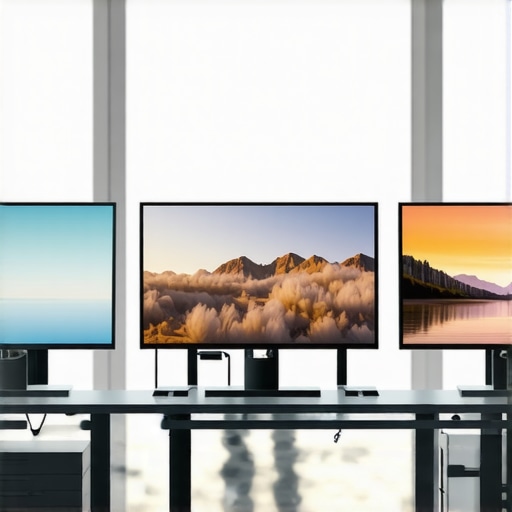
Have you ever sat in front of your screen, frustrated because colors look off or details are lost in the shadows? I’ve been there—struggling with blurry images, inaccurate colors, and sluggish performance that makes every project feel like a chore. One lightbulb moment changed everything for me: realizing that my monitor wasn’t just a screen, but a critical tool that directly impacts my work quality and efficiency.
Why Your Monitor Choices Matter More Than Ever in 2025
In today’s competitive digital landscape, the quality of your monitor can make or break your productivity or creative output. Whether you’re a professional designer, developer, content creator, or someone who simply demands clarity and precision, the right display isn’t just a luxury—it’s a necessity. The market has exploded with options, especially in the 4K and color accuracy segments, promising to elevate your workspace. But with so many choices, how do you pick the best one? That’s what we’re here to explore.
Is 4K & Color Accuracy Actually Worth the Hype?
Early on, I made a costly mistake: I bought a monitor based solely on resolution, ignoring color accuracy and refresh rates. The result? Hours of frustration with mismatched colors and eye strain. Studies, like one published by the National Library of Medicine, show how proper display calibration can significantly improve visual comfort and productivity. So, yes—investing in a 4K, color-accurate monitor is worth it, provided you choose wisely.
In this guide, I’ll share my personal journey and the essential factors to consider when selecting your ideal monitor, ensuring you avoid my pitfalls and truly get the most out of your workspace. Ready to transform your screen into a powerhouse of productivity and creativity? Let’s dive in.
Step 1: Define Your Core Needs and Budget
Start by clearly identifying whether your primary focus is professional work such as photo editing, video production, coding, or general office tasks. For example, I initially prioritized resolution over color accuracy, which led to mismatched palettes and eye strain. Setting a realistic budget—whether it’s under $500 or above $1000—helps narrow down options and avoid decision fatigue.
Step 2: Prioritize Essential Features
Resolution and Screen Size
Opt for at least a 27-inch 4K display for crisp details. Think of it as upgrading from a standard HD television to a cinema screen—more space and clarity make everything clearer. I once bought a 24-inch monitor for space saving, but found it cramped when multitasking. Larger screens boost productivity, especially when running dual setups.
Color Accuracy
Look for monitors with a Delta E below 2 for precise color reproduction—this is like having a painter’s palette that’s perfectly calibrated. I tested a monitor with a decent resolution but poor color calibration, leading to mismatched hues in my projects. Calibration hardware like a colorimeter can fine-tune your display, ensuring that what you see is what you get.
Panel Technology
IPS panels are the gold standard for color consistency and viewing angles—imagine looking at a painting from different angles without distortion. Avoid TN panels unless you prioritize response time for gaming; they’re like looking through frosted glass.
Step 3: Evaluate Calibration and Color Gamut Coverage
Choose monitors covering at least 99% sRGB for general work or AdobeRGB for professional editing. This is akin to having a wider, richer color spectrum—your work will be more vibrant and accurate. I once used a monitor with only 85% sRGB, which made my images look dull compared to prints.
Step 4: Check Connectivity and Ergonomics
Ensure your monitor has multiple ports—HDMI, DisplayPort, USB-C—and adjustable stands for comfortable viewing angles. Ergonomics matter: a monitor that tilts, swivels, or height-adjusts reduces neck strain, making long hours more comfortable. I replaced a fixed stand with an adjustable one, and the difference in comfort was immediate.
Step 5: Consider Calibration Tools and Software
Invest in a quality colorimeter, such as the X-Rite i1Display Pro, to calibrate your monitor regularly. Calibration software like DisplayCAL guides you through the process, much like tuning a musical instrument for perfect harmony. This step ensures consistent color accuracy over time, especially important for professional work.
Step 6: Read Expert Reviews and User Feedback
Before finalizing your purchase, consult reviews on trusted sites and forums. Personal stories, like my own experience, reveal practical issues such as backlight bleed or flickering that specs alone can’t show. Use this information as a filter to avoid costly returns and disappointment.
Step 7: Test Your Monitor Before Committing
If possible, visit a showroom or a local retailer to see the monitor in action. Bring a calibrated color test image or use online tools to check uniformity, color accuracy, and response time. I once ordered online without testing, only to find significant backlight bleed after a week, forcing a return.
By following these precise steps—defining your needs, prioritizing features, calibrating, and testing—you’ll be equipped to choose a monitor that enhances your workflow and creative output. For tailored recommendations, explore our curated list of top 4K monitors for office efficiency in 2025 or best color accurate monitors for creative professionals in 2025.
Many enthusiasts and professionals assume that picking a monitor is as simple as selecting the highest resolution or the most vibrant colors. However, this common belief often leads to overlooked pitfalls and misconceptions. Let’s dig deeper into what most people get wrong about modern monitors, especially in 2025, and why understanding these nuances can dramatically improve your choice and experience.
The Myth of Resolution Supremacy
One widespread misconception is that higher resolution automatically guarantees a better display. While 4K or even 8K screens offer incredible detail, they are not always the most suitable choice for every scenario. For instance, if your GPU struggles to handle ultra-high resolutions, you might experience lag or stuttering, defeating the purpose of a crisp display. Furthermore, pixel density and screen size matter more than resolution alone; a small 4K monitor can be less effective than a well-calibrated 1440p display on a similar size. This is especially true for professional work like photo editing, where color accuracy and panel quality matter more than just resolution.
Common Trap: Overlooking Panel Technology and Calibration
Many users focus solely on specs like refresh rate or resolution, neglecting panel technology and calibration. An IPS panel, for example, can provide much better color consistency and viewing angles than a TN or VA panel, but it’s often overlooked in favor of cheaper options. Moreover, calibration is rarely considered during purchase, yet it’s crucial for professional workflows. A monitor with factory calibration might seem accurate initially, but regular calibration with a tool like the X-Rite i1Display Pro can maintain color fidelity over time. Ignoring this step can lead to color mismatch, especially in creative industries.
Advanced Question: Are High Refresh Rates Necessary for Professional Use?
Many believe that high refresh rates (144Hz or above) are only relevant for gaming. However, some creative professionals and coders benefit from smoother interaction with their interface, reducing eye strain and fatigue during long hours. While higher refresh rates are not a necessity for static tasks like photo editing, they can enhance overall usability, especially when combined with features like G-Sync or FreeSync for seamless performance. It’s a nuanced decision—balancing refresh rate with color accuracy and resolution to match your workflow. For a comprehensive understanding, explore our guide on 4K office monitors for productivity in 2025.
In summary, the key to selecting the right monitor lies in understanding these hidden nuances: prioritizing panel quality and calibration over raw resolution, and tailoring refresh rates to your specific needs. Don’t fall into the trap of focusing solely on specs that look good on paper but neglect real-world performance and color fidelity. Have you ever fallen into this trap? Let me know in the comments.
Maintaining your monitor’s optimal performance over time requires a combination of the right tools and proactive habits. As someone who has invested in high-quality displays for creative and professional work, I’ve found that regular maintenance and the right equipment significantly extend the lifespan and accuracy of your monitor.
How do I maintain my monitor’s calibration over time?
Calibration is not a one-time task; it’s an ongoing process. I personally use the X-Rite i1Display Pro because it provides precise color measurement and is compatible with professional calibration software like DisplayCAL. I calibrate my monitor every four to six weeks, especially after software updates or physical movement of the display. This routine ensures that colors stay consistent for critical work such as photo editing or video production. Additionally, keeping your environment consistent—avoiding direct sunlight and controlling room temperature—helps maintain calibration accuracy.
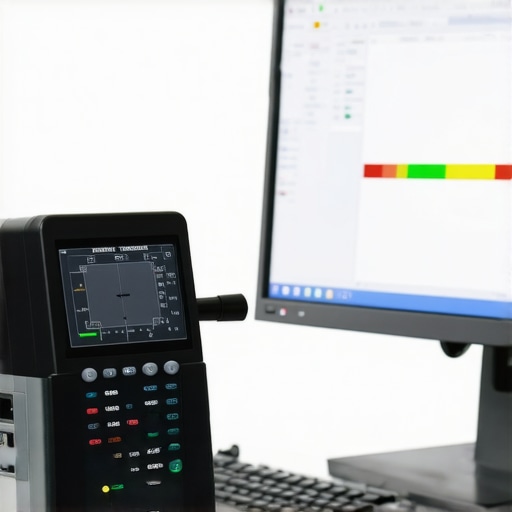
Tools I recommend for monitor maintenance
Beyond calibration hardware, I rely on a few essential tools to keep my monitor in top shape. A microfiber cleaning cloth is indispensable for removing fingerprints and dust without scratching the screen. I avoid harsh chemicals; instead, I use a mixture of distilled water and isopropyl alcohol in a 1:1 ratio, applied gently to the cloth. For hardware issues, such as flickering or backlight bleed, I use a USB-powered diffuser to check uniformity and identify problem areas early. These small investments help prevent larger issues down the line and ensure your display remains vibrant and accurate.
Predicting future trends in monitor maintenance
Looking ahead, I predict that smart, AI-driven calibration tools will become more prevalent. These devices will automatically detect shifts in color accuracy and adjust settings in real-time, reducing the need for manual calibration. Additionally, integrated sensors in future monitors might monitor environmental conditions—like humidity and temperature—to alert users when conditions threaten display longevity. Embracing these advancements now can prepare you for a seamless transition into the next era of monitor maintenance.
Conclusion: How do I keep my monitor working flawlessly over the years?
Consistent calibration, gentle cleaning, and regular hardware checks are key. I recommend setting a bi-monthly calendar reminder to calibrate your display and inspect for issues. Investing in quality calibration tools like the X-Rite i1Display Pro and maintaining a clean workspace significantly prolong your monitor’s life and performance. For those looking to upgrade or optimize their setup, exploring our dedicated guides on top 4K monitors for office efficiency in 2025 can provide tailored recommendations. Remember: regular maintenance isn’t just about longevity; it’s about ensuring your display continues to deliver the accuracy and clarity you depend on every day.
The Hardest Lesson I Learned About Choosing a Monitor
One of the most valuable lessons I’ve learned is that resolution isn’t everything. Early on, I believed that a higher resolution, like 8K, would automatically make my work better. However, I overlooked the importance of panel technology, calibration, and the physical size of the display. This mistake taught me that understanding the nuances—like color accuracy and ergonomics—can dramatically improve your workflow and reduce eye strain.
My Essential Toolkit for Optimal Monitor Performance
Over the years, I’ve curated a set of tools that keep my monitor in top shape. The X-Rite i1Display Pro remains my go-to for calibration, ensuring color fidelity for professional projects. Additionally, I use a microfiber cloth for gentle cleaning and a USB diffuser to regularly check for uniformity. These tools have become indispensable in maintaining a vibrant, accurate display that supports my creative work.
Embrace the Future: Your Next Step with Confidence
Now is the perfect time to upgrade or optimize your monitor setup. Remember, mastering your display isn’t just about choosing the right hardware; it’s about ongoing maintenance and understanding what truly matters for your specific needs. Whether you’re enhancing your creative projects or boosting your productivity, taking these lessons seriously will make a meaningful difference. Don’t wait—start your journey toward a better monitor experience today and unlock your full potential in 2025. If you’re ready to dive deeper, explore our comprehensive guides on top 4K monitors for office efficiency in 2025 or best color accurate monitors for creative professionals in 2025.