
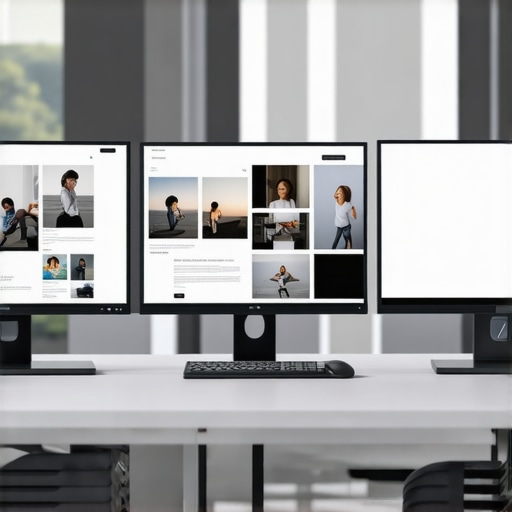
Ever stared at a screen for hours, only to realize that the colors look off, the details are blurry, and your productivity drops because of a subpar display? That was me not so long ago. I used to think any monitor would do, especially in a busy office or creative studio. But then I hit a wall—poor color accuracy, low resolution, and laggy performance kept sabotaging my work. It was a frustrating cycle, until I finally had that lightbulb moment: my monitor wasn’t just a screen, it’s the heart of my workflow. Investing in the right 4K and color accurate monitor changed everything. And trust me, if you’re still settling for a generic display, you’re missing out on efficiency and precision you didn’t even know you needed.
Why This Year Is a Game Changer for Monitors
In 2025, the landscape of professional monitors has exploded with innovation. Think ultra-high resolutions, stunning color precision, and smart features tailored for creative professionals and office users alike. According to a recent report from TechRadar, 4K monitors are now a standard for productivity, offering four times the pixel density of Full HD screens, which translates into sharper images and more workspace. That’s a significant upgrade, especially when your work depends on pixel-perfect visuals or detailed editing. But here’s the catch: not all 4K monitors are created equal, and choosing the right one can be overwhelming.
When I first started shopping, I made a costly mistake—focusing solely on resolution and ignoring color accuracy or ergonomics. It’s a mistake I see many beginners make. A high-resolution screen with poor color reproduction can leave you frustrated, especially if your work involves design, photography, or video editing. The key is balancing resolution, color fidelity, and comfort. That’s exactly what I’ll help you do today.
If you’ve ever wondered whether splurging on a high-end monitor is worth it, or if you’re skeptical about all the hype around 4K and color accuracy, you’re not alone. Let’s cut through the noise and figure out what really matters for your workspace and creative projects.
Is a fancy monitor really worth the investment for everyday work?
Early on, I bought a cheap monitor because I didn’t want to spend a fortune. Turns out, I was paying for it in lost productivity and eye strain. A good monitor isn’t just about looking pretty; it’s about making your tasks easier and more accurate. Want to know how to pick the perfect fit? Stick around. I’ll guide you through the top options and what to look for, so you don’t make the same mistake I did.
Ready to upgrade your workspace? Dive into the best 4K and color accurate monitors for 2025 and transform your work experience. For tailored advice and expert tips, feel free to reach out here.
Prioritize Your Workspace Setup
Start by assessing your current workspace and identifying the specific needs of your tasks. For instance, if you’re editing photos or videos, color accuracy should be your top priority. On the other hand, for general office work, resolution and ergonomics may be more important. I once set up my desk with a high-resolution monitor without checking its color calibration, leading to frustration during design projects. I learned quickly that matching the monitor’s profile to my workflow saved me hours of rework and eye strain.
Pick the Right Panel Technology for Your Needs
Choosing between IPS, OLED, or VA panels can seem daunting, but think of it like selecting a camera lens: each has strengths. IPS panels are known for excellent color accuracy and wide viewing angles, making them ideal for creative professionals. OLED screens offer stunning contrast and deep blacks, perfect for detailed editing. VA panels provide high contrast ratios suitable for general use. I tested an IPS monitor for my photography editing, and the vibrant, true-to-life colors made a huge difference in my work quality. For detailed comparisons, check out this guide on color accuracy.
Set Your Resolution for Precision and Comfort
Opt for a 4K resolution (3840×2160 pixels) to maximize workspace and detail. When I upgraded to a 4K monitor, I initially struggled with scaling issues, but after adjusting the display settings, I gained a sharper view of my editing tools and documents. Remember, a higher resolution demands a powerful GPU; verify your hardware can handle it before purchasing. For more on selecting the best 4K monitor, visit this comprehensive list.
Calibrate Your Display for True Colors
Don’t skip calibration. Use tools like a colorimeter to ensure your monitor displays accurate colors. I once bought a high-end monitor and ignored calibration, only to find my prints looked different from what I saw on screen. Calibration fixes this discrepancy, ensuring consistency across devices. Once calibrated, I noticed my workflow became more predictable, especially when sharing work with clients or teammates. Check out this guide on calibration techniques for detailed steps.
Optimize Your Ergonomics and Viewing Angles
Position your monitor at eye level and maintain a comfortable distance—roughly an arm’s length. Use adjustable stands or monitor arms to fine-tune height and tilt. I learned this the hard way after neck pain from poor setup; now, I spend less time adjusting and more on productive work. For ideas on dual setups that boost productivity, explore these setup ideas.
Leverage Smart Features and Connectivity Options
Modern monitors come with features like USB-C docks, HDR support, and adjustable refresh rates. For creative tasks, HDR enhances dynamic range; for office work, USB-C simplifies cable clutter. During my last upgrade, I chose a monitor with a built-in hub, which reduced my desk clutter and improved workflow efficiency. Always check compatibility with your existing devices, and don’t forget to review this guide on feature selection.
Many professionals and enthusiasts alike fall into subtle traps when selecting their ideal monitor, often due to misconceptions or overlooking critical nuances. Let’s dig deeper into what most people get wrong about choosing a 4K and color accurate monitor, and how you can avoid these pitfalls to ensure your investment truly enhances your workflow.
Why Believing Bigger Is Always Better Can Backfire
It’s a common myth that bigger monitors automatically mean better productivity or creative potential. While a larger display offers more workspace, it also requires more desk space, a more powerful GPU, and better ergonomics. Oversized monitors can lead to neck strain or eye fatigue if not set up properly. Instead, focus on the resolution and color accuracy suited for your specific tasks. For example, a 27-inch 4K monitor with high color fidelity can be more effective than a sprawling 32-inch model that causes discomfort. Don’t fall for the “bigger is better” trap—prioritize clarity, calibration, and ergonomic fit.
Common Myths About Resolution and Detail
Some believe that once you have a 4K display, it automatically guarantees pixel-perfect detail. But resolution alone isn’t enough. If your monitor’s panel quality, calibration, or color accuracy is subpar, your images and work will suffer regardless of pixel count. A poorly calibrated 4K monitor can distort colors and create inconsistencies, especially for professional tasks like photo editing or digital design. Remember, a high-resolution monitor needs to be paired with proper calibration tools, such as a colorimeter, to truly leverage its potential. For an in-depth look, check out this guide on color calibration.
Beware of Overlooking the Panel Technology
Many users focus heavily on resolution and ignore the panel type—IPS, OLED, or VA—which significantly impacts color accuracy and viewing angles. IPS panels are widely favored among creative professionals for their reliable color reproduction and consistency. OLED offers deeper blacks and contrast but can be more expensive and susceptible to burn-in. VA panels provide high contrast but may sacrifice color fidelity and viewing angles. Choosing the wrong panel can mean sacrificing quality for the sake of size or resolution. Make sure to match your panel choice to your workflow needs. For detailed comparisons, explore this expert review.
Have you ever fallen into this trap? Let me know in the comments. Being aware of these nuances will help you make smarter, more informed decisions, ensuring your monitor truly supports your productivity and creative goals.
How do I maintain my monitor setup over time?
Keeping your monitor functioning flawlessly requires more than just a once-over during setup. Regular maintenance and the right tools ensure your display remains accurate, vibrant, and reliable for years to come. I personally rely on a combination of calibration hardware and software to maintain color fidelity, which is crucial for creative professionals and office users alike.
One essential tool I swear by is the X-Rite i1Display Pro. This professional-grade colorimeter allows me to calibrate my monitor precisely, ensuring the colors I see on screen match the final output—whether that’s digital designs or printed photos. Calibration isn’t a one-and-done task; I recommend doing it monthly, especially if your workspace conditions change or you upgrade hardware.
For software, I use CalMAN Studio because it provides detailed profiling options and easy-to-follow instructions, making calibration accessible even for beginners. The combination of hardware and software ensures your display stays consistent and accurate over time, eliminating guesswork and rework.
Beyond calibration, routine cleaning keeps dust and fingerprints off the screen, which can subtly impact clarity. Use a microfiber cloth and avoid harsh chemicals—simple but effective. Also, keep your monitor’s firmware updated if it has smart features, as manufacturers often release updates that improve performance and stability.
Looking ahead, I believe that AI-driven calibration tools will become the norm, offering real-time adjustments based on ambient lighting and usage patterns. This means your display will adapt dynamically to maintain optimal quality without manual intervention, saving you time and hassle.
If you haven’t tried professional calibration tools yet, I highly recommend giving the latest hardware a shot. It’s a game-changer for long-term monitor health and performance. Regular maintenance with these tools will keep your setup sharp, accurate, and ready for whatever your workflow demands.
Start by scheduling monthly calibration sessions with your hardware and software combo—it’s an investment that pays dividends in visual accuracy and productivity. Trust me, your future self will thank you!
The Hardest Lesson I Learned About Choosing Monitors
One of my biggest realizations was that bigger doesn’t always mean better. I once bought a massive 32-inch monitor thinking it would boost my productivity, but I ended up with neck strain and eye fatigue because I ignored ergonomic setup. The lesson? Focus on resolution and color accuracy tailored to your tasks, not just size. Small tweaks, like adjusting height or choosing a monitor with better calibration options, made a huge difference in my daily workflow.
My Essential Toolkit for Achieving Perfect Visuals
To keep my monitor calibrated and colors true, I rely on tools like the X-Rite i1Display Pro. It’s a professional-grade device that ensures my display remains consistent over time. Pairing it with calibration software like CalMAN Studio has transformed my creative projects, allowing me to deliver work that matches my vision and client expectations. These tools are an investment in accuracy that pays off every day.
Your Turn to Elevate Your Workspace
If you’re serious about boosting productivity and precision, investing in a 4K, color accurate monitor is a game changer. The future of workspace technology is leaning heavily toward intelligent, adaptive displays that keep your visuals sharp and colors spot-on. Don’t wait—your best work starts with the right equipment. Are you ready to upgrade your monitor setup and experience the difference firsthand? Let me know below.
I completely agree with the importance of color calibration, especially for creative work. I once purchased a high-end 4K monitor but skipped calibration for it, which led to discrepancies between what I saw on screen and my actual prints. It was a costly mistake that I only realized after a few projects. Now, I always use a colorimeter like the X-Rite i1Display Pro to keep my display accurate, and it really makes a difference in my workflow. Have others found that regular calibration improves their color consistency over time? I’d love to hear how often you calibrate your monitors and whether automation tools are making that process easier for you.
This post really hits home, especially for those of us who work in digital design and photo editing. I’ve learned the hard way that a good monitor isn’t just a luxury but a necessity for consistent results. The idea of calibration routines, like using a colorimeter, isn’t new to me, but I used to underestimate its importance. After experiencing some color mismatches in my prints, I started calibrating monthly, and I can honestly say it’s been a game-changer. The consistency in color accuracy makes my workflow much more predictable, reducing rework and frustration. I’m curious, have others experimented with semi-automated calibration tools or software that adjusts based on ambient lighting? I’ve noticed some recent updates that claim to improve ease of use, but I wonder if they really match the precision of hardware calibration. It’d be great to hear about others’ routines and any recommendations for tools that balance accuracy with ease of use.