
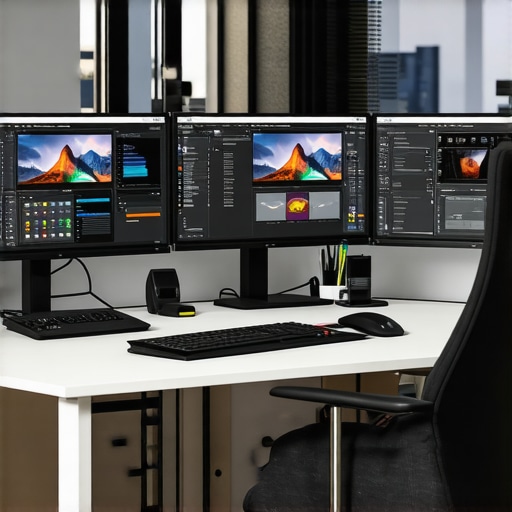
Have you ever spent hours tweaking a project only to realize that what you see on your screen doesn’t match the final print or digital output? That sinking feeling when your colors look perfect on your monitor but completely off on other devices? I used to think it was just a minor annoyance—until I realized it was a major roadblock to my professional work. The lightbulb moment came when I finally invested in a high-quality, color-accurate 4K monitor, and everything changed. My workflows became smoother, my color consistency improved, and I stopped second-guessing my creative decisions.
Why Choosing the Right Monitor Matters More Than Ever in 2025
In 2025, the demand for precise visual representation has skyrocketed. Whether you’re a graphic designer, video editor, photographer, or even a dedicated office worker who appreciates sharp visuals, your monitor is the foundation of your digital workspace. With advances in technology, 4K resolution has become the standard for clarity, but not all 4K displays are created equal. The key is color accuracy—without it, your work may look great on your screen but fall apart in real-world applications.
Think about it: a color-accurate monitor ensures that what you see is what you get, enabling consistent results across screens and print. This is especially critical for creative professionals who rely on precise hues and tones. Plus, with the rise of remote work and digital collaboration, having a reliable display that can handle detailed color work can truly elevate your productivity and professional reputation.
However, investing in a top-tier monitor isn’t just about spending more money; it’s about making a smart choice to avoid costly mistakes down the line. Early on, I made the mistake of choosing a monitor based solely on resolution, ignoring color accuracy. The result? Wasted hours, frustrated revisions, and a lot of guesswork. Now, I know better. The right monitor makes all the difference.
Is All the Hype Around 4K Monitors for Creative Work Justified?
Many skeptics ask whether the investment in high-end 4K color-accurate monitors truly pays off. My honest answer is yes—when you choose carefully. Not every 4K display offers true color precision, and some cheap options can do more harm than good. The secret lies in features like factory calibration, wide color gamut support, and reliable panel technology. If you’re serious about your work, these details matter.
In the upcoming sections, I’ll guide you through the practical steps to select the best 4K monitor for your needs in 2025, ensuring you get the most value and performance from your investment. Ready to transform your workspace and elevate your work? Let’s dive in.
Pinpoint Your Needs Before You Shop
Start with a clear understanding of your primary tasks. Are you editing photos, creating videos, designing graphics, or just upgrading your office setup? I once bought a high-end monitor for creative work without assessing my actual needs, which led to unnecessary expenses and frustration. To avoid this, list your must-have features and set a budget. For instance, if you’re into professional photo editing, prioritize wide color gamuts and factory calibration over ultra-high refresh rates. For office work, focus on resolution, screen size, and ergonomic features.
Identify Your Ideal Screen Size and Resolution
Think of your monitor as your workspace — bigger screens are like having a wider desk. In 2025, 27-inch to 32-inch screens are popular for their balance of space and detail, especially with 4K resolution offering razor-sharp clarity. I remember using a 27-inch 4K monitor during a freelance project; it made color grading and detail work much easier. When choosing, verify that your desk can comfortably accommodate the size, and ensure your graphics card supports 4K output for smooth performance.
Evaluate Color Accuracy and Panel Technology
Color accuracy is the backbone of professional quality work. Look for monitors with factory calibration reports or calibration tools included. Support for wide color gamuts like sRGB, Adobe RGB, or DCI-P3 is essential for true-to-life colors. I once purchased a monitor claiming 99% sRGB, but after calibration, I found it lacked consistency. Testing the display with calibration software like DisplayCAL helps verify claims. Also, prefer IPS panels for better viewing angles and color consistency, especially if you work collaboratively or switch viewing angles frequently.
Check Factory Calibration and Gamut Coverage
Manufacturers like Eizo, Dell, and LG often provide calibrated units ready for professional work. Compare their color gamut coverage—aim for at least 99% sRGB and 95% DCI-P3 for versatile use. For creative professionals, investing in a monitor with excellent factory calibration can save hours of calibration time and ensure color fidelity from day one. For guidance, review the ultimate guide to color accuracy.
Consider Connectivity and Ergonomics
Multiple input options like HDMI, DisplayPort, and USB-C are crucial for flexible setups. I once struggled with limited ports, forcing me to unplug and switch cables constantly. Ensure your chosen monitor supports the latest standards for seamless connectivity. Ergonomics matter too—adjustable height, tilt, swivel, and rotation features prevent fatigue during long work sessions. A monitor with VESA compatibility allows mounting for even better ergonomics.
Test for Consistency and Brightness Uniformity
Uneven brightness or backlight bleed can ruin your work. During my first test run, I noticed noticeable brightness variation across the screen, which affected color grading accuracy. Use tools like a light meter or simply observe uniformity in a dark room. Some high-end models offer uniformity compensation, which is worth considering if color consistency is critical. Remember, a good monitor should maintain consistent brightness and color across the entire display.
Leverage the Right Resources and Community Advice
Read reviews from trusted sources and user feedback. Forums and review sites can reveal real-world issues like flickering or calibration inconsistencies. For the latest models and deals, visit specialized sites like best color accurate monitors for creative professionals. Consulting with professionals in your field can also provide tailored insights—don’t hesitate to ask questions on community platforms or contact manufacturers directly via contact us.
Compare and Test Before Final Purchase
If possible, see the monitor in person or buy from a retailer with a good return policy. I once ordered a monitor online, only to find out it didn’t meet my expectations after setup. Testing it for a few days helped me decide whether it was worth keeping. Use calibration tools and display tests to evaluate color accuracy, uniformity, and responsiveness. This hands-on approach ensures your investment pays off, especially for demanding creative work or precise office tasks.
Many professionals and enthusiasts fall into the trap of oversimplifying their monitor choices, believing that resolution alone guarantees quality. However, the real nuance lies in understanding how features like color calibration, panel technology, and proper setup can make or break your workflow. Let’s dig deeper into what most people get wrong about selecting 4K monitors in 2025, and how you can avoid these pitfalls to ensure your investment truly pays off.
Why Most Buyers Overlook the Importance of Factory Calibration
It’s a common misconception that a monitor with a high color gamut and 99% sRGB coverage automatically provides accurate colors. In reality, factory calibration plays a crucial role. Many budget-friendly models claim wide color support but lack precise calibration out of the box. Without proper calibration, your colors may be skewed, leading to inconsistent results across projects or when printing. Experts recommend verifying calibration reports or investing in monitors that include calibration tools or services, like those found in top-tier models from brands such as Eizo or Dell. This step can save hours of post-production adjustments and prevent costly reprints or reworks.
The Hidden Risk of Ignoring Panel Technology
Not all panels are created equal, especially when it comes to color accuracy and viewing angles. Many assume that an IPS panel is the best choice; while generally true, some cheaper IPS panels suffer from poor uniformity and color shifting at different angles. Conversely, newer panel technologies such as OLED or advanced Nano IPS can offer better contrast and more consistent colors. Choosing a panel that aligns with your workflow—like wide viewing angles for collaborative work—can significantly enhance precision and reduce eye strain. Skipping this nuance often results in a monitor that looks good in the store but causes frustration during long sessions.
Common Myth: Bigger is Always Better
Many believe that larger screens automatically lead to better productivity. While a 32-inch 4K monitor provides more workspace, it’s not suitable for everyone. Larger screens require more desk space and can cause neck strain if not ergonomically set up. For detailed creative work, a balanced size like 27 inches often offers ideal pixel density and comfort. Also, a larger monitor may demand more powerful hardware, increasing costs unnecessarily. Assess your actual workspace and task requirements before opting for the biggest screen available.
Make Your Workflow Smarter, Not Just Bigger
Advanced users often overlook the importance of proper calibration tools and a consistent setup. Using calibration devices like colorimeters and software such as DisplayCAL ensures your display is displaying accurate colors, especially when working on high-stakes projects. Additionally, setting up dual or multi-monitor configurations with consistent color profiles can vastly improve your efficiency. A common mistake is mismatched displays that cause eye fatigue and color inconsistency, hampering your work quality.
Have you ever fallen into this trap? Let me know in the comments!
Once you’ve invested in a high-quality 4K monitor, the next crucial step is keeping it in top shape for long-term use. Regular maintenance not only prolongs the lifespan of your display but also ensures consistent color accuracy and performance, vital for creative professionals and office workers alike. In this section, I’ll share the specific tools and practices I personally rely on to maintain my monitors effectively.
How do I keep my monitor calibrated and performing well over time?
Calibration is the cornerstone of consistent color accuracy. I use the X-Rite i1Display Pro calibration device because it provides precise measurements and integrates seamlessly with software like DisplayCAL. Every few months, I run calibration routines to adjust for any drift in color or brightness, especially since ambient lighting can influence display output. This routine is simple but impactful—think of it as tuning a musical instrument to keep it sounding perfect.
Additionally, I set my monitors to their factory calibration profiles whenever possible, especially for critical tasks like photo editing or video work. Regularly updating your monitor’s firmware is another often-overlooked step—manufacturers release updates that fix bugs or improve performance, so check their websites periodically. These small, consistent actions ensure your display remains reliable and true to color.
Why cleaning your screen matters and the best tools for it
Dust, fingerprints, and smudges can degrade image quality and cause eye strain. I use a microfiber cloth paired with a dedicated LCD cleaning solution—a gentle, alcohol-free spray that won’t damage the panel. Never spray directly onto the screen; instead, spritz the cloth lightly and wipe in gentle circles. This routine keeps the display clear and helps you spot potential issues early, like dead pixels or uneven backlight, which could compromise your work.
The importance of proper workspace setup
Maintaining your monitor isn’t just about cleaning and calibration. Ergonomics play a huge role. I recommend periodically checking your monitor’s height, tilt, and distance from your eyes. Using adjustable stands or VESA mounts can prevent neck strain and ensure you’re viewing the screen at the optimal angle. Also, controlling ambient lighting minimizes glare and prevents your display from appearing washed out or overly dark. A well-organized workspace supports both your health and your monitor’s longevity.
Future-proofing your monitor maintenance
Looking ahead, I predict that in the coming years, software-driven diagnostics and AI-based calibration will become standard, making maintenance even easier. Manufacturers are increasingly embedding sensors that automatically detect issues and suggest fixes—think of it as having a tech assistant for your display. To stay ahead, I encourage trying out advanced calibration tools and keeping an eye on firmware updates. These proactive steps can keep your monitor performing like new, even as technology evolves.
Start by integrating a routine calibration with a device like the X-Rite i1Display Pro; it’s a game-changer in maintaining color fidelity. Trust me—your future self will thank you for the crisp, accurate visuals that keep your work sharp and professional.
The Hardest Lesson I Learned About Choosing a 4K Monitor
One of the biggest surprises I encountered was realizing that resolution alone doesn’t guarantee color accuracy. I once bought a high-resolution display that looked stunning at first glance, but when I started editing photos, I noticed inconsistent colors and poor calibration out of the box. This taught me that factory calibration and color gamut support are just as crucial as pixel count.
Three Myths About 4K Monitors That Held Me Back
Myth one: Bigger screens always boost productivity. In reality, size needs to match your workspace and workflow. Myth two: All IPS panels are equal. Actually, panel technology varies greatly, affecting color consistency and viewing angles. Myth three: 4K resolution makes everything perfect. It’s the combination of resolution, calibration, and panel quality that really matters.
What Experts Won’t Tell You About Investing in a Quality Display
Many professionals overlook the importance of regular calibration. Using a device like the X-Rite i1Display Pro can keep your monitor’s colors accurate over time. Also, firmware updates from manufacturers can improve performance and fix bugs that might degrade your viewing experience. These small but vital steps can dramatically extend your monitor’s lifespan and accuracy.
Curated Resources for Your Perfect 4K Setup
My Essential Toolkit for 4K Monitoring includes the best color accurate monitors for creative professionals which I trust because of their factory calibration and wide color support. For calibration, I recommend the ultimate guide to color accuracy. Lastly, regular maintenance tips come from trusted reviews on sites like TechDesk Essentials, ensuring my setup remains top-tier.
Take Action and Elevate Your Visual Experience
Choosing the right 4K monitor in 2025 isn’t just an upgrade—it’s a game changer for your productivity and creative output. Don’t settle for less; invest wisely, calibrate regularly, and create in confidence. Your future self will thank you for the crisp, accurate visuals that bring your work to life.
Have you ever struggled with color calibration or panel choice? Share your experiences below and let’s learn together!
,
This post really hits home for me, especially the emphasis on factory calibration and panel technology. I’ve recently switched to an IPS monitor with wide color gamut support, and the difference in my workflow is noticeable. I used to rely on uncalibrated screens, which led to inconsistencies between my edits and the final outputs. The insight about the importance of regular calibration routines is a game-changer—I’ve started using a colorimeter periodically, and it made me realize how much color drift can occur over time.
One challenge I’ve faced is balancing screen size with desk space—has anyone found a good VESA mount that can support larger monitors while allowing flexible positioning? I wonder if OLED panels are truly worth the extra investment for creative work, considering their contrast and color accuracy advantages. Would love to hear from others about their experiences or suggestions for maintaining long-term color fidelity while working in diverse lighting environments.